

GFX Tool for PUBG
Version:10.3.0
Published:2026-11-11
Introduction
GFX Tool for PUBG is a lightweight utility that helps mobile players optimize graphics, frame rates, and resolution to improve performance and visual clarity in PUBG Mobile. It offers preset and custom options for textures, shadows, FPS limits, and anti-aliasing to match device capability and player preference.
Overview
This app puts control over rendering and performance directly in the hands of the user. Rather than relying on the game's automatic settings, GFX Tool for PUBG enables adjustments that can reduce stutter, increase smoothness, or enhance visual fidelity depending on what matters most to you. It’s aimed at players who want to tailor their experience for competitive play or to get the most from older hardware.
Key functionality at a glance
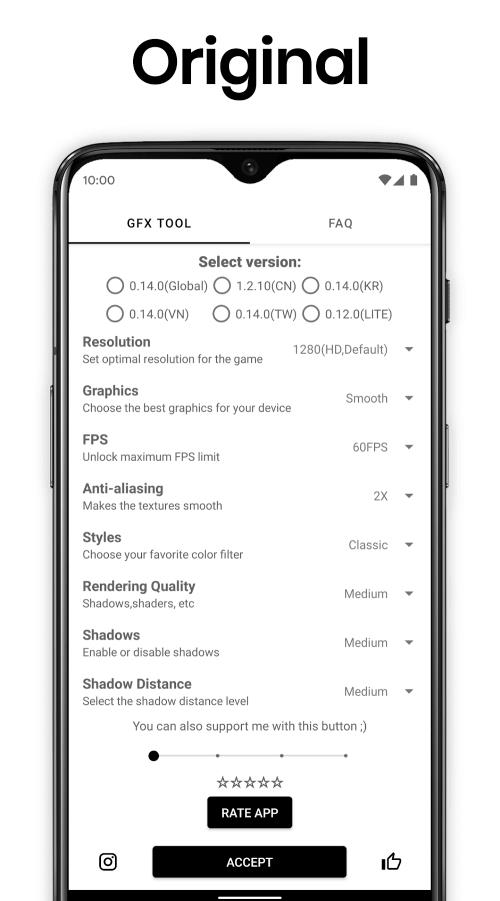
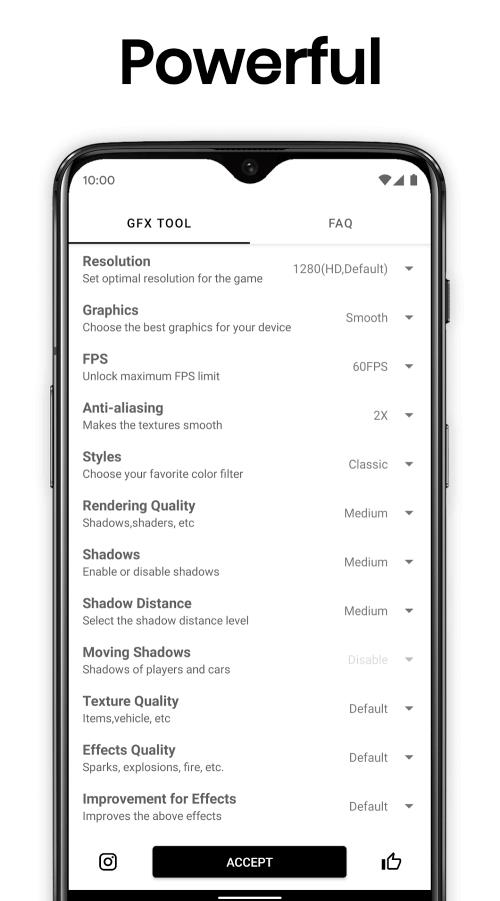
- Resolution scaling to lower or boost in-game resolution for smoother frame rates or sharper visuals.
- FPS control allowing stable targets like 30, 60, or higher where supported.
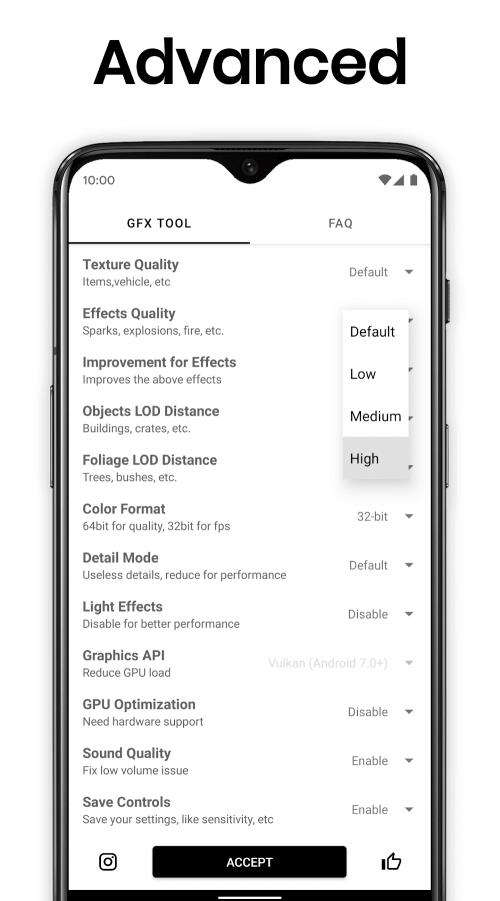
- Texture and shadow tweaks to reduce GPU load or restore detail.
- Anti-aliasing and rendering options for a cleaner image when performance allows.
- Preset and custom profiles for switching settings based on battery, Wi‑Fi, or gaming session length.
How it works
GFX Tool for PUBG adjusts configuration files and runtime parameters used by PUBG Mobile to change the way graphics are processed. When you apply a profile, the app modifies the rendering pipeline settings so the game launches with those preferences active. This method avoids altering the game itself and focuses on accessible tweaks that most Android devices can accept without rooting.
Practical workflow
After installing, you select the desired resolution and FPS, toggle optional features like shadows or post-processing, and save the profile. The app then applies changes and can launch PUBG Mobile directly. Many users keep two or three profiles — for battery saving, balanced play, and high-quality visuals — and switch between them depending on context.
Performance and interface
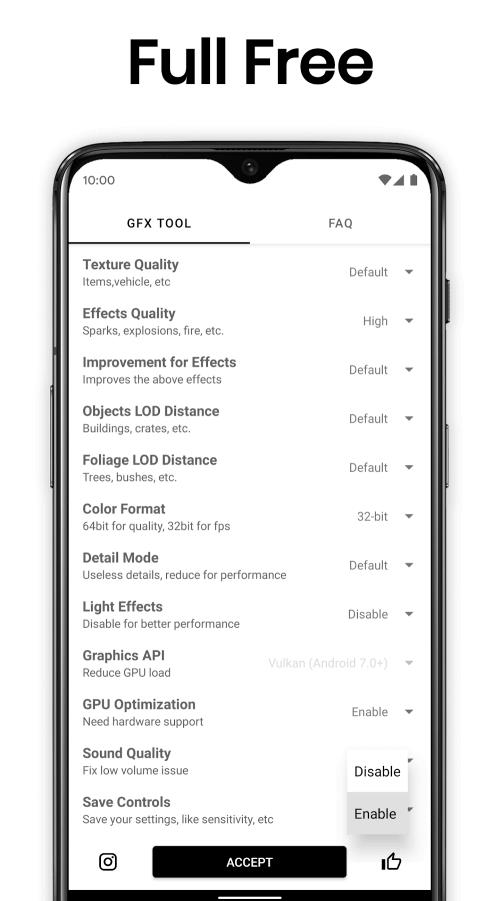
The interface is intentionally simple: clearly labeled sliders and dropdowns guide users through potential trade-offs between visual quality and frame stability. Visual previews help illustrate major choices. Performance improvements depend on the device model, but common gains include reduced frame drops, lower thermal throttling, and a smoother aiming experience.
Compatibility and safety notes
GFX Tool for PUBG works with a wide range of Android phones. Some advanced settings may be unsupported on very new or heavily locked devices. The app does not modify game code; it adjusts client-side settings, which makes it a low-risk option for players focusing on performance rather than cheats. Still, follow the developer’s instructions and backup profiles before applying experimental configurations.
Tips for new users
- Start with a conservative preset and test in a low-stakes match to verify stability.
- Use lower resolution and disable shadows if your phone overheats or drops frames.
- Create distinct profiles for charging vs. battery play to avoid unexpected power drain.
- Increase FPS only if the device’s hardware can sustain it without excessive temperature rise.
- Keep the app updated to benefit from new compatibility patches and UI improvements.
Why players pick it
Many mobile gamers choose GFX Tool for PUBG because it offers targeted, practical controls that actually change how the game behaves on-device. For competitive players, consistent frame timing can mean more reliable aim and fewer input hiccups. For casual users, the tool can extend playtime on mid-range phones by trimming unnecessary visual effects.
Getting started
Installation is straightforward: download the APK from a trusted source, grant the minimal permissions needed, and open the app. Create a profile, tweak a couple of settings, then launch PUBG Mobile from the app to test. If you encounter issues, revert to the default configuration and try smaller incremental changes.
GFX Tool for PUBG is a practical companion for anyone who wants to balance performance and visuals on mobile. With simple controls, profile management, and sensible defaults, it helps players customize their PUBG Mobile experience without complex setup or advanced technical knowledge.
Show More
Information
Screenshots
Latest Update











Hot Tags
Latest News
-
![Revealing the Launch Playlists and Cross-Progression for COD Warzone Mobile News]()
-
![March 2024 Free Redemption Codes for Honkai: Star Rail News]()
-
PUBG Mobile Teams Up with Bentley Motors: Luxury Cars, Exclusive Collectibles, and Beyond 2024-04-18
![PUBG Mobile Teams Up with Bentley Motors: Luxury Cars, Exclusive Collectibles, and Beyond News]()
-
![Monster Never Cry is now accessible on both Android and iOS mobile devices. News]()
-
V2.2 of the Farlight 84 update introduces an overhauled Season structure, fresh in-game currency, an 2024-04-16
![V2.2 of the Farlight 84 update introduces an overhauled Season structure, fresh in-game currency, an News]()
-
![Arrival of Genshin Impact 4.6 Update: 'Embers of Two Realms, Twilight of Crimson' News]()
-
April 2024 Clash of Clans Update: Unveiling a Fresh Companion, Enhanced Levels, Chat Tagging, and Be 2024-04-16
![April 2024 Clash of Clans Update: Unveiling a Fresh Companion, Enhanced Levels, Chat Tagging, and Be News]()






