
aTimeLogger
Version:1.5.59
Published:2026-11-11
Introduction
track, log, analyze: aTimeLogger brings simple time tracking into your daily routine with a clear focus on understanding how minutes add up. The app records activities down to the minute, compiles summaries and exports reports so you can spot trends and adjust your schedule. Whether you want to measure deep work blocks, monitor project tasks or create repeatable timers for regular habits, aTimeLogger gives a structured way to collect data and make smarter planning decisions.
Getting Started with aTimeLogger:
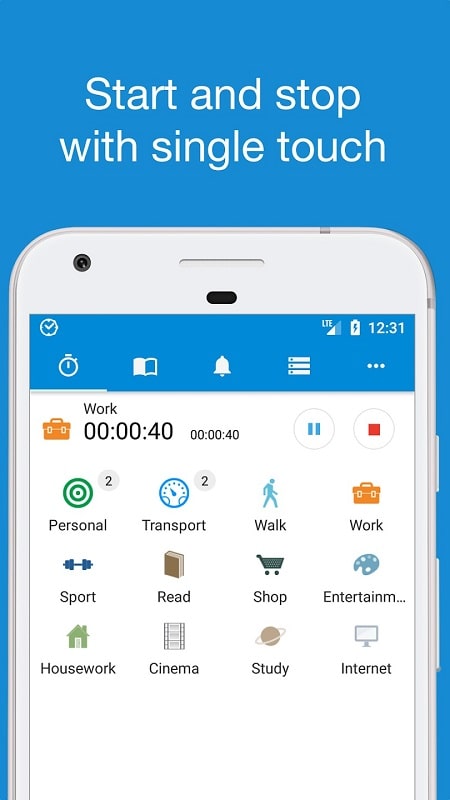
Create Activities: Define the tasks you want to measure, give each activity a name and optional color or tag so entries stay easy to scan.
Start and stop timers: Use the single-tap timer to begin tracking or log time manually when you forget to start the clock.
Set goals: Add target durations for routines or projects so you can monitor progress across a day or week.
Link tools: Connect external apps where available so that time spent in those tools can feed into your records automatically.
Features of aTimeLogger:
Minute-level precision: The app records time accurately, making short work sessions count toward your totals and helping you spot small inefficiencies.
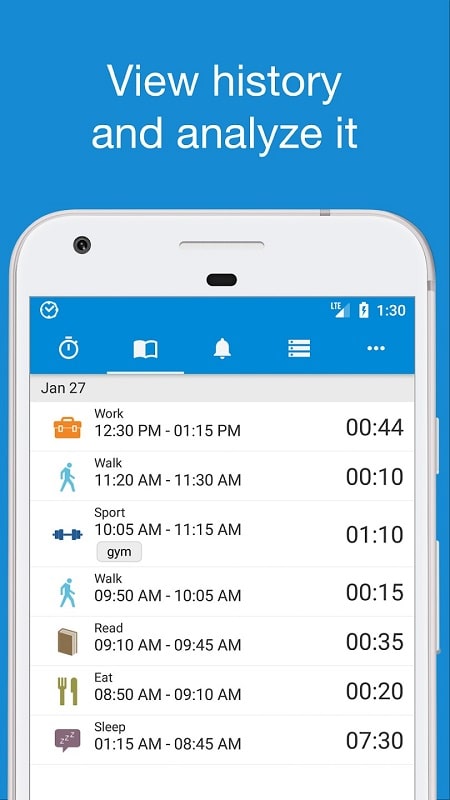
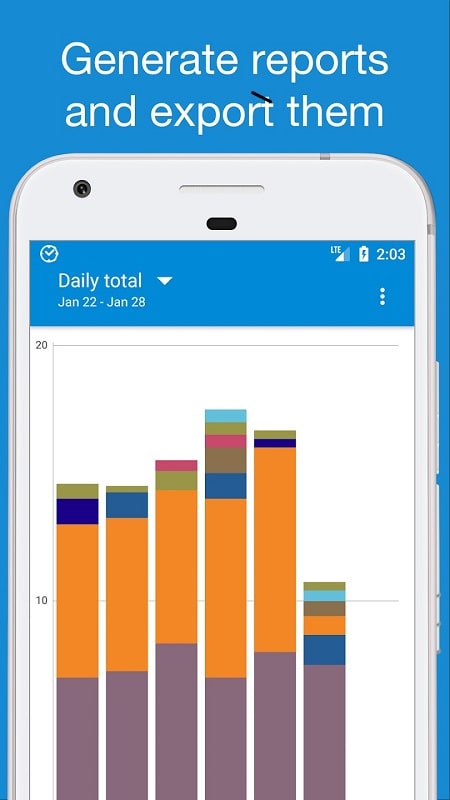
Comprehensive statistics: Data is aggregated over days, weeks and months so you can view trends, peaks and slow periods at a glance.
Multiple export formats: Generate CSV and HTML reports to archive records or analyze them in spreadsheets and other platforms.
Automation-ready: Timers and integrations let you automate much of the tracking so logging becomes a background task rather than a chore.
Versatile use cases: The tool adapts to many users, from freelancers billing hours to athletes tracking training sessions or parents measuring study time for kids.
Tips and Tricks:
Batch similar tasks: Group related activities under a single label to prevent overfragmentation and get a realistic view of how long a project actually takes.
Use short review sessions: Spend five minutes at day end to tidy entries and merge accidental splits so weekly stats stay accurate.
Practical scenario - during a commute: Start a passive timer for reading, listening to podcasts or planning so your learning time is logged without disrupting travel.
Practical scenario - meal prep and routines: Track household routines like cooking and cleaning to balance chores against work hours and free time.
FAQs about aTimeLogger:
Can I export my tracked data?
Yes. aTimeLogger supports exporting records in CSV and HTML formats so you can open them in a spreadsheet or share them with clients.
Is it possible to edit entries after they are recorded?
You can edit start and end times or add notes to correct mistakes and keep your reports accurate.
Does aTimeLogger work for recurring routines?
Yes. You can create timers or templates for repetitive tasks and reuse them to track recurring activities without recreating settings each time.
Conclusion:
aTimeLogger is a practical time tracker that helps you collect precise usage data, review performance and adjust daily habits for better productivity. It works well for freelancers, students and anyone who wants to see where their hours go, though users seeking heavily visual project planning might pair it with a dedicated planner. The app provides a neutral foundation for measuring time and is available in versions that may change features between releases.
Show More
Information
Screenshots
Latest Update











Hot Tags
Latest News
-
![Revealing the Launch Playlists and Cross-Progression for COD Warzone Mobile News]()
-
![March 2024 Free Redemption Codes for Honkai: Star Rail News]()
-
PUBG Mobile Teams Up with Bentley Motors: Luxury Cars, Exclusive Collectibles, and Beyond 2024-04-18
![PUBG Mobile Teams Up with Bentley Motors: Luxury Cars, Exclusive Collectibles, and Beyond News]()
-
![Monster Never Cry is now accessible on both Android and iOS mobile devices. News]()
-
V2.2 of the Farlight 84 update introduces an overhauled Season structure, fresh in-game currency, an 2024-04-16
![V2.2 of the Farlight 84 update introduces an overhauled Season structure, fresh in-game currency, an News]()
-
![Arrival of Genshin Impact 4.6 Update: 'Embers of Two Realms, Twilight of Crimson' News]()
-
April 2024 Clash of Clans Update: Unveiling a Fresh Companion, Enhanced Levels, Chat Tagging, and Be 2024-04-16
![April 2024 Clash of Clans Update: Unveiling a Fresh Companion, Enhanced Levels, Chat Tagging, and Be News]()






