

TForwarder - message forwarder
Version:1.4.32
Published:2026-11-11
Introduction
If you're the kind of user who needs to relay Telegram posts without copying them manually, TForwarder - message forwarder can simplify that repetitive work. This lightweight utility watches chats you choose and moves messages where they belong: into channels, groups, or a direct chat with a colleague. It supports both blanket forwarding and keyword-based rules, so you can automate routine sharing and keep selected conversations focused. The app is aimed at anyone who manages information flow across communities or teams and wants to cut down on manual reposting.
Getting Started with TForwarder - message forwarder:
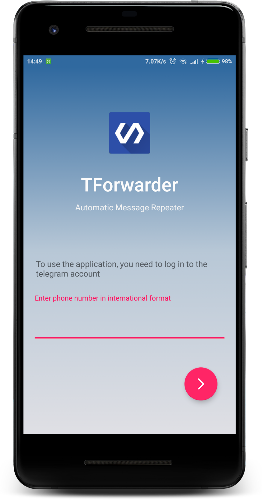
Install and grant access: Download and open the app, then follow prompts to connect your Telegram account; access is required so the tool can read and forward messages from your selected chats.
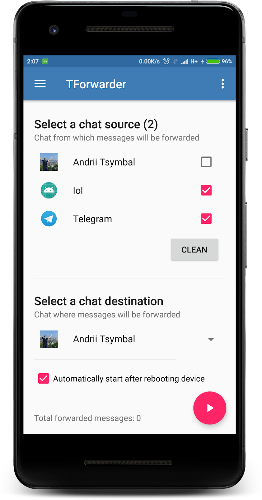
Select sources: Pick the channels, private groups, or direct chats that will serve as inputs. TForwarder - message forwarder supports both public and private sources you participate in.
Define destinations and rules: Choose a target channel, group, or friend for each source and set whether messages are forwarded every time or only when they match keywords.
Activate and monitor: Turn the forwarding rule on and check the app's status or logs to confirm messages are being relayed as expected.
Features of TForwarder - message forwarder:
Keyword filtering: Create simple filters so only messages containing specific words or phrases are forwarded, which helps keep target chats relevant.
Unfiltered forwarding: Forward everything from a source without applying rules when you need a complete mirror of a conversation.
Multiple source support: Aggregate posts from several private groups or direct chats into one destination to centralize updates.
Flexible destinations: Send content to a Telegram channel, group, or a direct contact, making the app useful for announcements, team coordination, or one-on-one shares.
Practical scenario - event coordination: An organizer can forward volunteer check-ins from different group chats into a single admin channel so staff see real-time updates in one place.
Practical scenario - content curation: A community moderator can collect relevant posts from several niche groups into a single showcase channel, saving time and preserving context for followers.
Pros & Cons:
- Automates repetitive sharing and reduces manual copy-paste.
- Works with private groups and direct chats as well as channels.
- Simple rule setup for keyword-based or unconditional forwarding.
- Currently focused on Telegram as source and destination; other networks planned.
- May require persistent permissions and background activity for uninterrupted forwarding.
Final Words:
TForwarder - message forwarder is a practical utility if you manage multiple Telegram conversations and need reliable redistribution of messages; give it a try to streamline information flow and report back with suggestions so the developer can refine the experience.
Show More
Information
Screenshots
Latest Update











Hot Tags
Latest News
-
![Revealing the Launch Playlists and Cross-Progression for COD Warzone Mobile News]()
-
![March 2024 Free Redemption Codes for Honkai: Star Rail News]()
-
PUBG Mobile Teams Up with Bentley Motors: Luxury Cars, Exclusive Collectibles, and Beyond 2024-04-18
![PUBG Mobile Teams Up with Bentley Motors: Luxury Cars, Exclusive Collectibles, and Beyond News]()
-
![Monster Never Cry is now accessible on both Android and iOS mobile devices. News]()
-
V2.2 of the Farlight 84 update introduces an overhauled Season structure, fresh in-game currency, an 2024-04-16
![V2.2 of the Farlight 84 update introduces an overhauled Season structure, fresh in-game currency, an News]()
-
![Arrival of Genshin Impact 4.6 Update: 'Embers of Two Realms, Twilight of Crimson' News]()
-
April 2024 Clash of Clans Update: Unveiling a Fresh Companion, Enhanced Levels, Chat Tagging, and Be 2024-04-16
![April 2024 Clash of Clans Update: Unveiling a Fresh Companion, Enhanced Levels, Chat Tagging, and Be News]()






