

F.A.Z. Kiosk
Version:9.7.2.1
Published:2026-11-21
Introduction
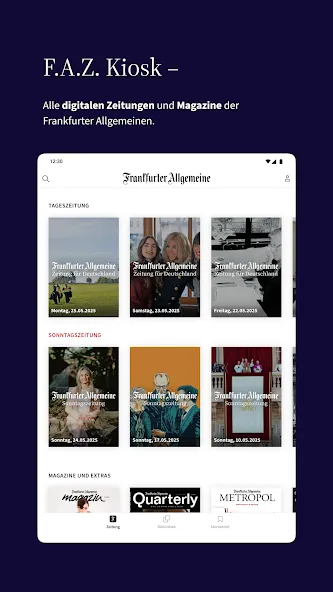
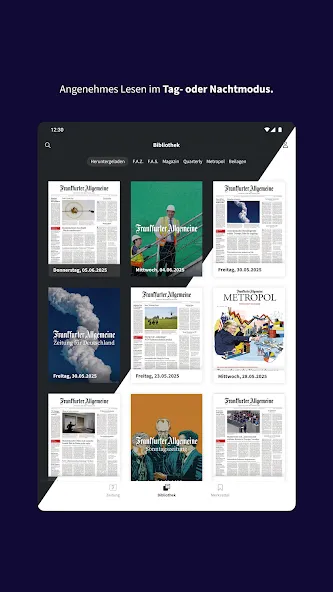
Looking for a tablet app that blends the look of a printed broadsheet with modern convenience? F.A.Z. Kiosk collects daily and weekly issues in one Android-ready package, presenting full e-paper pages alongside a digitally enhanced multimedia view. The app remembers where you stopped reading, stores editions for offline access, and offers adjustable fonts, a night theme and text-to-speech so you can read in comfort. Below we break down what makes F.A.Z. Kiosk useful, how to get started and the practical trade-offs to consider.
Highlights of F.A.Z. Kiosk:
Paper-style presentation: The e-paper view reproduces page layouts so articles, images and adverts appear the way they do in print, preserving visual context for long-form reading.
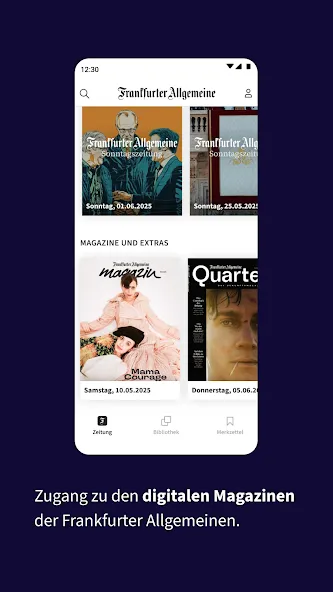
Multimedia alternative: A second, modern view rearranges content into an article-first format with embedded photos and additional digital elements for faster browsing.
Early access to editions: Many issues appear on the app earlier than their printed counterparts, letting you read headlines and features ahead of distribution.
Offline reading: Complete issues can be stored locally so you can read without a connection on flights, trains or in areas with patchy reception.
Features of F.A.Z. Kiosk:
Two reading modes: Toggle between the exact newspaper layout and a reflowed multimedia format depending on whether you want authenticity or speed.
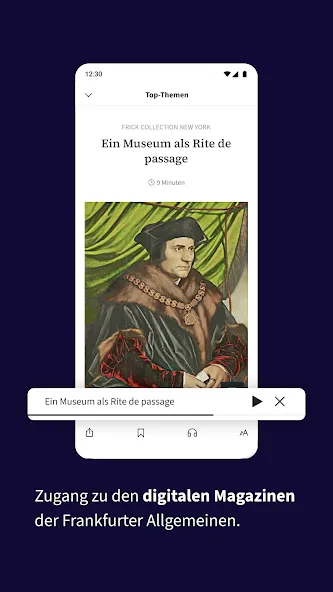
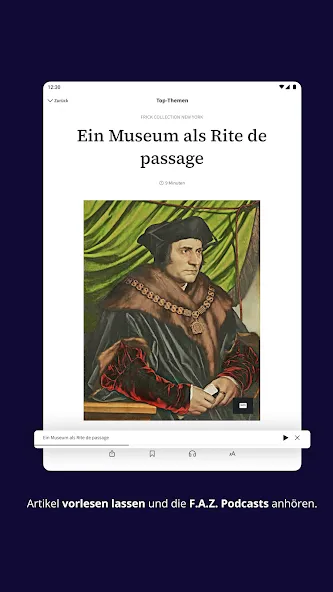
Personal reading controls: Adjust font size, switch to night mode, and enable spoken narration so longer pieces are easier to digest.
Editorial reliability: Content originates from an editorial workflow that emphasizes source verification and fact-checking before publication.
Search and topic tracking: Use keyword search or set topics to find relevant coverage across current and past issues without manual digging.
Save and share: Flag important pages or articles for quick retrieval and share stories via messaging or social apps to keep contacts updated.
Getting Started with F.A.Z. Kiosk:
Download and trial: After installing the app you can usually access a trial issue of select titles to test the interface and reading modes before committing.
Switch views and navigate: Open an edition, choose the e-paper or multimedia layout, and use on-screen controls to jump between sections like politics, business or culture.
Manage downloads: Tap to download individual issues for offline use and remove older editions automatically to free space when needed.
Subscription and account setup: Create an account to sync reading progress across devices, manage subscriptions and receive notifications for new releases.
FAQs about F.A.Z. Kiosk:
Can I read issues without an internet connection?
Yes. Once an edition is downloaded it remains on your device so you can open full pages and articles while offline.
Will I get the same content as the printed newspaper?
All core articles from the printed edition are provided, and many pieces are also presented in a multimedia layout with extra navigation and media elements.
Does the app let me customize how text appears?
It does. You can modify font size, switch to a dark theme, and use a text-to-speech option to listen to long reads.
Conclusion:
Compared with carrying physical papers, F.A.Z. Kiosk compresses a week of reporting into a single tablet app while preserving page fidelity and adding digital convenience; it suits readers who value curated, verified journalism and flexible reading modes, though those seeking only free news aggregators may find paid editions restrictive. If you want a dedicated place for full-edition reading on Android, it deserves a look.
Show More
Information
Screenshots
Latest Update












Hot Tags
Latest News
-
![Revealing the Launch Playlists and Cross-Progression for COD Warzone Mobile News]()
-
![March 2024 Free Redemption Codes for Honkai: Star Rail News]()
-
PUBG Mobile Teams Up with Bentley Motors: Luxury Cars, Exclusive Collectibles, and Beyond 2024-04-18
![PUBG Mobile Teams Up with Bentley Motors: Luxury Cars, Exclusive Collectibles, and Beyond News]()
-
![Monster Never Cry is now accessible on both Android and iOS mobile devices. News]()
-
V2.2 of the Farlight 84 update introduces an overhauled Season structure, fresh in-game currency, an 2024-04-16
![V2.2 of the Farlight 84 update introduces an overhauled Season structure, fresh in-game currency, an News]()
-
![Arrival of Genshin Impact 4.6 Update: 'Embers of Two Realms, Twilight of Crimson' News]()
-
April 2024 Clash of Clans Update: Unveiling a Fresh Companion, Enhanced Levels, Chat Tagging, and Be 2024-04-16
![April 2024 Clash of Clans Update: Unveiling a Fresh Companion, Enhanced Levels, Chat Tagging, and Be News]()






