
XOS Launcher
Version:8.6.25
Published:2026-11-21
Introduction
?Looking for a launcher that renews your home screen while keeping fresh music suggestions and a news feed at hand?
XOS Launcher revamps your Android home experience by combining a polished XOS-inspired aesthetic with a heavy focus on content discovery and personalization. It replaces the stock launcher to deliver themed icons, daily wallpapers, and an AI-driven feed of songs, news and games. If you want a device that looks tailored and feels dynamic—showing new playlists and recommended apps on the same surface where you launch routines—XOS Launcher is built to make that possible without a steep learning curve.
Highlights of XOS Launcher:
Zero Screen feed: A left-swipe panel aggregates breaking news, weather snippets and trending game picks so you can skim updates without opening multiple apps.
Daily wallpaper rotation: Wallpapers update automatically from a large gallery, keeping your lock and home screen visually fresh every day.
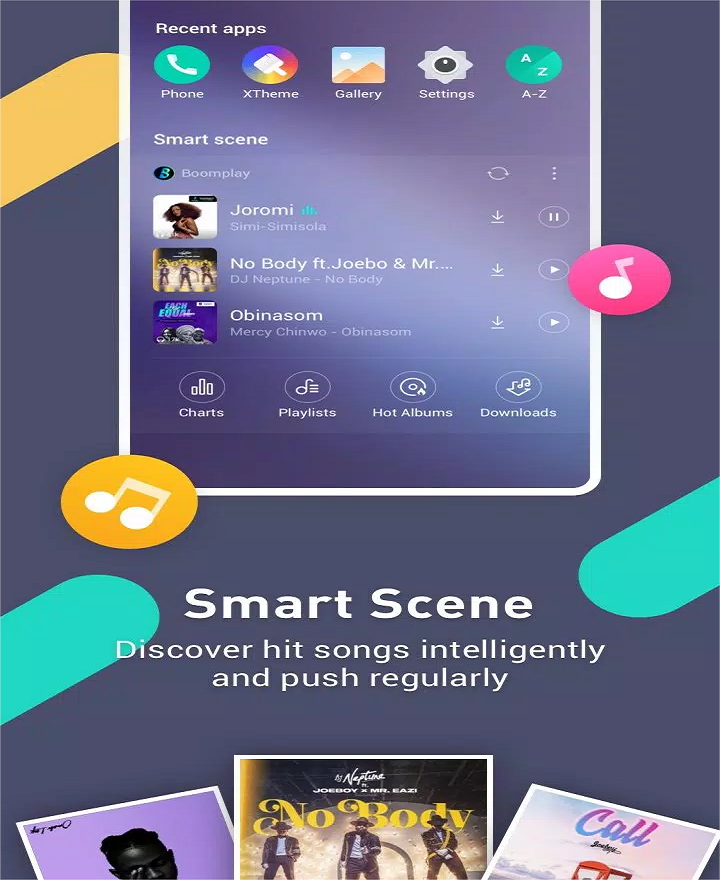
Music suggestions: The launcher surfaces hit songs and playlists tailored by inferred tastes, helping you discover tracks while you unlock your phone.
Stylish icons and effects: An extensive icon library and subtle visual effects give launch screens a refined, modern look.
Organized app sorting: Apps can be grouped or suggested by topic, making it easier to find tools, games or social apps in one place.
Features of XOS Launcher:
AI-powered curation: The launcher recommends apps and content based on usage patterns so suggestions evolve as you use the device.
Theme and font catalog: Browse dozens of themes and preview fonts with one tap to change the device tone from playful to minimal.
Freezer tool: Pause persistent background apps to reduce memory use and keep the home experience snappier during peak tasks.
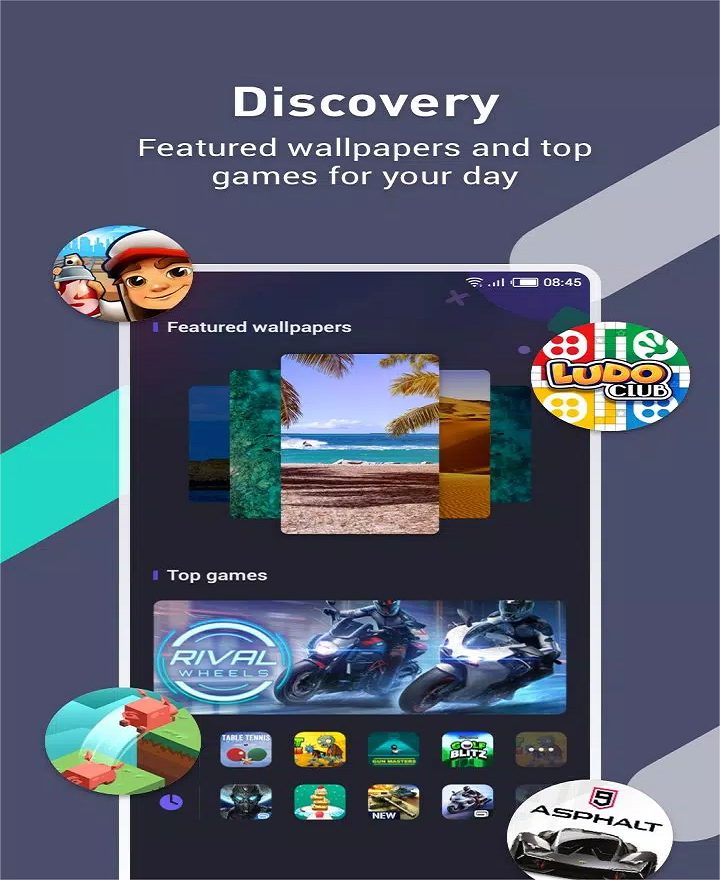
Discovery section: A curated hub highlights featured wallpapers, games and editor-selected themes for quick browsing.
Cleaner integration: Storage and cache cleaning is available through a companion app, which centralizes housekeeping functions at the cost of additional storage use.
Getting Started with XOS Launcher:
Install and set default: After installing, grant launcher permissions and set XOS Launcher as the default home app to enable home-screen actions and gestures.
Apply a theme: Open the Discovery or Themes section, preview a style and apply it. One-click font preview lets you compare typography immediately.
Customize icons and widgets: Replace icon packs, adjust grid sizes and add widgets from the widget picker to build a personal layout that prioritizes the apps you use most.
Use Zero Screen and Freezer: Swipe to the Zero Screen to view feeds; add apps to Freezer if they should not run in the background. Note that some widgets may take longer to load initially.
Practical scenarios: Set a travel-friendly layout before a trip to surface maps and booking apps on your main panel, or create a focused mode for presentations by freezing social apps and highlighting productivity tools.
FAQs about XOS Launcher:
Is XOS Launcher free to use?
Yes, the launcher is offered as a free personalization tool, though optional content and the cleaner feature may require a separate companion install.
Will it work on phones that are not Infinix?
It is compatible with many Android devices. Non-Infinix users can still access most of the visual and organizational features without changing hardware.
Does it impact battery life or performance?
Background suggestions and daily wallpaper updates can increase data or battery use compared with a minimal launcher; using the Freezer and limiting auto-updates helps keep resource use down.
Conclusion:
XOS Launcher offers an opinionated alternative to stock Android launchers by blending strong visual theming with content curation for music, news and games. It suits users who enjoy tuning the look of their phone and discovering media from the home screen, while those seeking the absolute lightest background footprint may prefer a simpler launcher. If you value design and discovery over minimalism, give XOS Launcher a try and see how it reshapes your daily unlock routine.
Show More
Information
Screenshots

Latest Update












Latest News
-
![Revealing the Launch Playlists and Cross-Progression for COD Warzone Mobile News]()
-
![March 2024 Free Redemption Codes for Honkai: Star Rail News]()
-
PUBG Mobile Teams Up with Bentley Motors: Luxury Cars, Exclusive Collectibles, and Beyond 2024-04-18
![PUBG Mobile Teams Up with Bentley Motors: Luxury Cars, Exclusive Collectibles, and Beyond News]()
-
![Monster Never Cry is now accessible on both Android and iOS mobile devices. News]()
-
V2.2 of the Farlight 84 update introduces an overhauled Season structure, fresh in-game currency, an 2024-04-16
![V2.2 of the Farlight 84 update introduces an overhauled Season structure, fresh in-game currency, an News]()
-
![Arrival of Genshin Impact 4.6 Update: 'Embers of Two Realms, Twilight of Crimson' News]()
-
April 2024 Clash of Clans Update: Unveiling a Fresh Companion, Enhanced Levels, Chat Tagging, and Be 2024-04-16
![April 2024 Clash of Clans Update: Unveiling a Fresh Companion, Enhanced Levels, Chat Tagging, and Be News]()






