

MyBible
Version:5.7.1
Published:2026-11-21
Introduction
MyBible is a versatile Bible app that brings scripture, study tools, and daily devotionals into a clean mobile interface. It offers searchable translations, offline access, and customizable reading plans so users can read, highlight, and study passages with ease whether connected or offline.
Essential features at a glance
MyBible focuses on delivering a robust suite of study and reading tools without clutter. At its center are multiple translations, fast search, and bookmarking. The app includes note-taking and highlight systems designed for long-term study, plus built-in devotionals and reading plans that help users maintain a daily rhythm.
- Multiple translations: Access a variety of language versions for comparison and deeper understanding.
- Offline reading: Download books and passages to read anywhere, even without a data connection.
- Powerful search: Find words, phrases, or topical references instantly across translations.
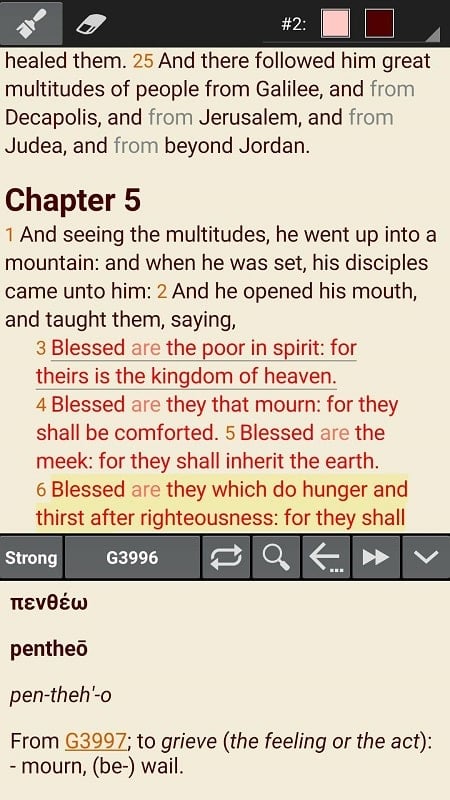
- Notes & highlights: Create color-coded highlights and attach searchable notes to verses.
- Reading plans: Follow curated plans for thematic studies or complete Bible reading in a set timeframe.
Navigation and interface
The interface balances familiarity with modern design. Navigation is quick: jump between books, chapters, and verses with a few taps. A consistent toolbar gives immediate access to search, table of contents, and reading progress. The layout adapts to phones and tablets so text remains readable at any screen size.
Reading modes and personalization
Adjust text size, font, and spacing to suit your preference. MyBible includes light, dark, and sepia modes to reduce eye strain during long reading sessions. Line spacing and margin controls make it easy to create an on-screen layout similar to a physical book. For focused study, full-screen mode removes distractions and keeps notes accessible via a single swipe.
Study tools and workflow
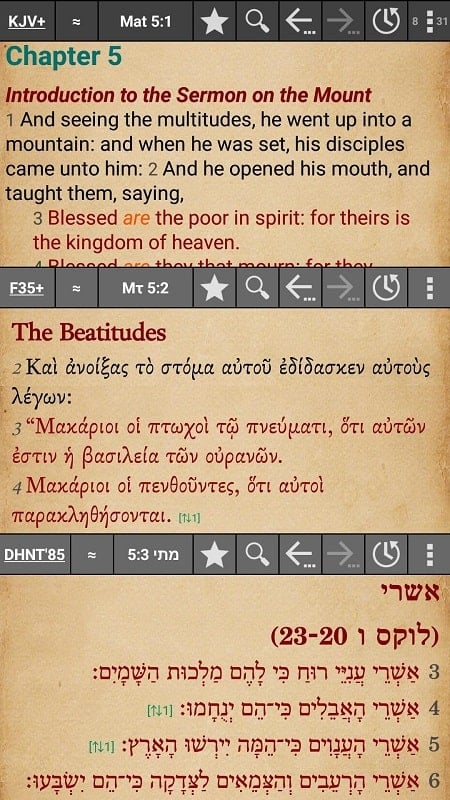
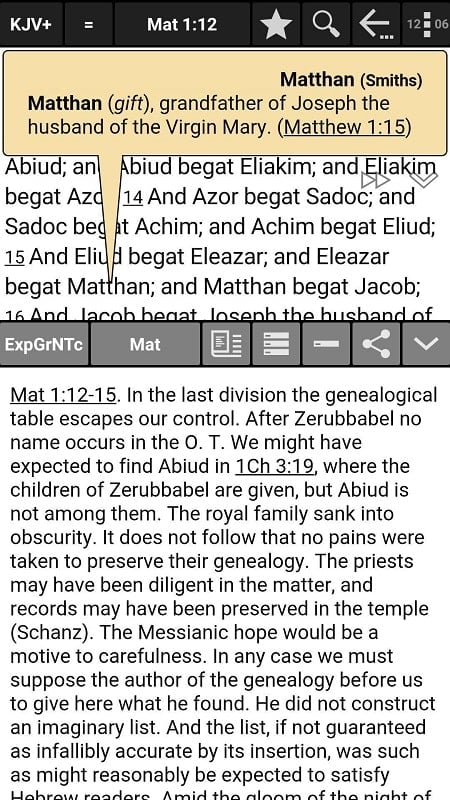
Study tools are designed to support both casual reading and academic study. Cross-references and commentary links appear alongside verses when available, allowing quick exploration of related passages. The integrated parallel view shows two translations side by side, which is especially useful for translation comparison and memorization work.
- Cross-references: Follow scholarly links to connected passages without leaving the current text.
- Parallel display: Compare translations or original-language interlinear text in split view.
- Verse history: Track recently read passages and return to them quickly.
Study aids and resources
Beyond the text, the app includes maps, timelines, and topic indexes to enrich context. Devotional content and short reflections provide daily prompts, while audio playback reads passages aloud for on-the-go listening. Export options let you share notes or verses via social platforms, email, or saving to device storage.
Customization and syncing
Personalization extends into organizational features: create folders for notes, tag highlights, and build custom reading plans. Cloud sync keeps bookmarks, notes, and reading progress consistent across devices. Users who prefer privacy can opt to keep data local and disable synchronization.
Performance and compatibility
MyBible is optimized for smooth performance on a wide range of Android devices. Downloaded content streams quickly from local storage, minimizing load times. Background audio and battery-friendly features allow uninterrupted listening without draining resources. The app supports current Android versions and works effectively on older hardware, though the latest release delivers the best experience.
How to get started
Begin by choosing a translation and downloading the books you want for offline use. Set a preferred reading schedule and explore the reading plans. Use the search tool to find a favorite verse, add a highlight, and create a short note to practice the workflow. Sync options and account setup are optional—users can remain fully functional while keeping data local.
Why users appreciate it
Users praise MyBible for its clean layout, reliable offline capabilities, and thoughtful study features. Whether building a habit of daily reading or conducting in-depth study, the app supports varied approaches while keeping navigation intuitive and tools accessible.
Show More
Information
Screenshots
Latest Update












Latest News
-
![Revealing the Launch Playlists and Cross-Progression for COD Warzone Mobile News]()
-
![March 2024 Free Redemption Codes for Honkai: Star Rail News]()
-
PUBG Mobile Teams Up with Bentley Motors: Luxury Cars, Exclusive Collectibles, and Beyond 2024-04-18
![PUBG Mobile Teams Up with Bentley Motors: Luxury Cars, Exclusive Collectibles, and Beyond News]()
-
![Monster Never Cry is now accessible on both Android and iOS mobile devices. News]()
-
V2.2 of the Farlight 84 update introduces an overhauled Season structure, fresh in-game currency, an 2024-04-16
![V2.2 of the Farlight 84 update introduces an overhauled Season structure, fresh in-game currency, an News]()
-
![Arrival of Genshin Impact 4.6 Update: 'Embers of Two Realms, Twilight of Crimson' News]()
-
April 2024 Clash of Clans Update: Unveiling a Fresh Companion, Enhanced Levels, Chat Tagging, and Be 2024-04-16
![April 2024 Clash of Clans Update: Unveiling a Fresh Companion, Enhanced Levels, Chat Tagging, and Be News]()






