

Kobo
Version:10.1.2.39807
Published:2026-11-21
Introduction
Kobo is a feature-rich e-reading app that brings thousands of books, magazines, and audiobooks to your Android device. Designed for comfortable long reads, it combines a clean interface, cloud syncing, and robust customization so you can build and enjoy a personal digital library wherever you go.
What Kobo Brings to Your Device
The app focuses on simple, reliable reading tools that suit casual readers and power users alike. Kobo supports common ebook formats and offers an integrated store for quick purchases. Its synchronization system keeps your progress, notes, and highlights consistent across phones, tablets, and dedicated e-readers.
Core Functionality
- Cross-device sync: Your bookmarks, last page read, and annotations move with you via cloud backup.
- Wide format support: EPUB and PDF compatibility makes it easy to import files from other services.
- Integrated store: Browse categories, curated lists, and bestsellers without leaving the app.
Reading Experience and Interface
Kobo’s reading screen emphasizes readability. Text reflow adapts to different screen sizes and orientations. Controls are lightweight: swipe or tap to change pages, or use the progress slider for fast navigation. The interface keeps essential tools on-screen while hiding advanced options until you need them.
Typography and Layout Controls
Fine-grained typographic choices let you tune font type, size, line spacing, margins, and justified or ragged alignment. A built-in night mode and adjustable background colors protect eyes during extended reading sessions. These controls are accessible from the same menu, reducing friction when adjusting the look on the fly.
Customization & Accessibility
Kobo provides several personalization options tailored to varied reading styles. Themes change contrast and color temperature. A consistent zoom and reflow mechanism makes PDFs easier to handle on smaller screens. For accessibility, the app supports system-level font scaling and works with Android’s accessibility features to improve readability for users who need larger text or screen readers.
Organizing Your Library
Library management focuses on folders, collections, and smart sorting. You can tag books, create custom shelves, and filter by format, author, or reading status. The search function scans metadata and locally stored files, allowing fast retrieval of specific titles or passages.
Notes, Highlights, and Study Tools
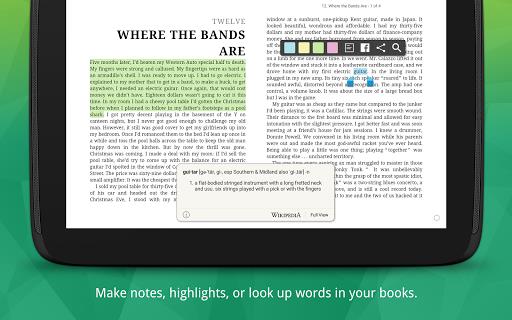
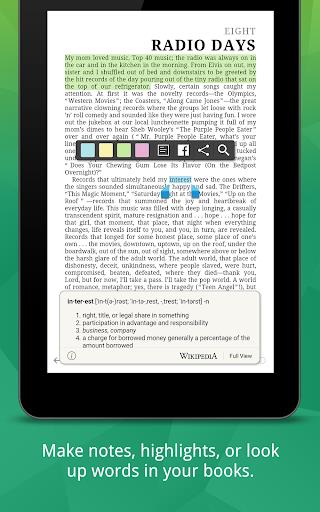
Annotating within Kobo is simple: tap and drag to highlight text, then add notes or export them for later review. Highlights sync across devices so study sessions remain continuous. For non-fiction readers and students, this system makes compiling quotes and references straightforward.
Audio and Multimedia
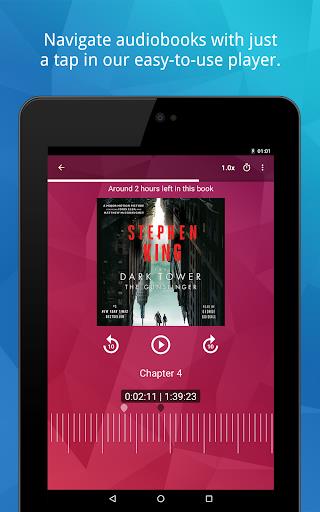
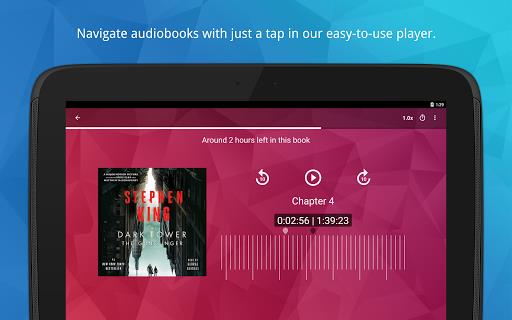
In addition to text content, Kobo sells and streams audiobooks through the app. Playback controls are standard, including speed adjustment and chapter navigation. Paired with bookmarks, audiobook progress will sync just like ebook positions, which is helpful if you switch between listening and reading.
Performance and Reliability
On modern Android devices, Kobo runs smoothly with quick page turns and minimal hiccups. Library indexing happens in the background to prevent UI stalls. The app also caches book data for offline reading, so you can keep reading without an active connection.
Practical Tips for New Users
- Start with syncing: Connect your account early to preserve annotations across devices.
- Customize once: Set preferred fonts and spacing at the outset to avoid repeated adjustments.
- Use shelves: Create custom collections for projects, genres, or reading priorities.
How to Get Started
Installing Kobo from the Play Store is straightforward. Create an account or sign in with an existing one, allow optional sync permissions, and then either browse the store or upload personal ebooks. The initial tutorial highlights core gestures and library tools to help you get reading quickly.
Kobo balances convenience and depth without overwhelming new readers. Whether you want a lightweight reading app or a capable digital library manager, it provides the essentials with thoughtful extras that support extended use and learning.
Show More
Information
Screenshots
Latest Update












Latest News
-
![Revealing the Launch Playlists and Cross-Progression for COD Warzone Mobile News]()
-
![March 2024 Free Redemption Codes for Honkai: Star Rail News]()
-
PUBG Mobile Teams Up with Bentley Motors: Luxury Cars, Exclusive Collectibles, and Beyond 2024-04-18
![PUBG Mobile Teams Up with Bentley Motors: Luxury Cars, Exclusive Collectibles, and Beyond News]()
-
![Monster Never Cry is now accessible on both Android and iOS mobile devices. News]()
-
V2.2 of the Farlight 84 update introduces an overhauled Season structure, fresh in-game currency, an 2024-04-16
![V2.2 of the Farlight 84 update introduces an overhauled Season structure, fresh in-game currency, an News]()
-
![Arrival of Genshin Impact 4.6 Update: 'Embers of Two Realms, Twilight of Crimson' News]()
-
April 2024 Clash of Clans Update: Unveiling a Fresh Companion, Enhanced Levels, Chat Tagging, and Be 2024-04-16
![April 2024 Clash of Clans Update: Unveiling a Fresh Companion, Enhanced Levels, Chat Tagging, and Be News]()






