

iTranslate Translator
Version:7.0.8
Published:2026-11-21
Introduction
iTranslate Translator is a versatile language app that converts speech, text, and images across dozens of languages for travel, study, or work. It combines instant voice recognition, camera text reading, and an offline dictionary to help you communicate quickly and accurately when you need it most.
Core features that matter
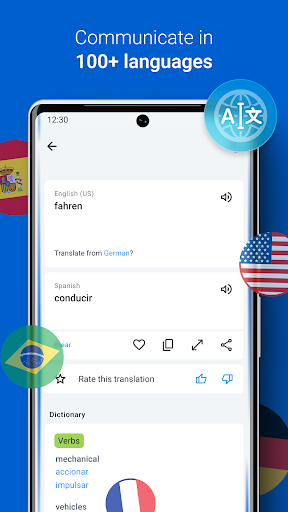
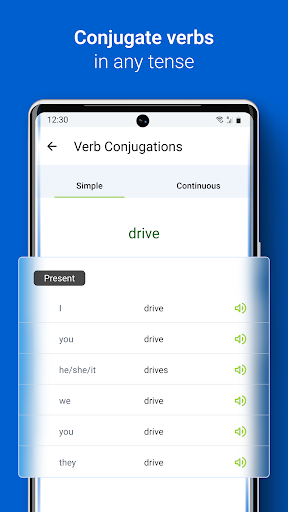
At the center of iTranslate Translator are tools designed for fast, everyday communication. The app supports voice-to-voice translation with real-time playback, typed text translation with alternative suggestions, and a camera mode that recognizes and translates printed text. You can save favorite phrases, consult verb conjugations, and access pronunciation guides to improve speaking confidence.
User interface and interaction
The interface prioritizes clarity: large language pickers, a prominent microphone button, and one-tap access to conversation mode. iTranslate Translator groups recent translations and saved entries into a simple list so users can quickly repeat or edit previous results. Visual indicators show whether a translation was produced locally or via cloud services, helping you manage data usage.
How translation works
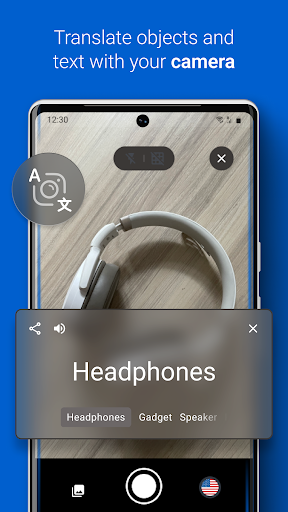
Choose source and target languages, then type, speak, or snap a photo. The app uses on-device models for common languages and cloud-based engines for more complex phrases and less common pairs. Voice recognition filters background noise and displays transcription as you speak, while camera translation highlights recognized text and overlays translated words on the image for quick context.
Offline mode and data use
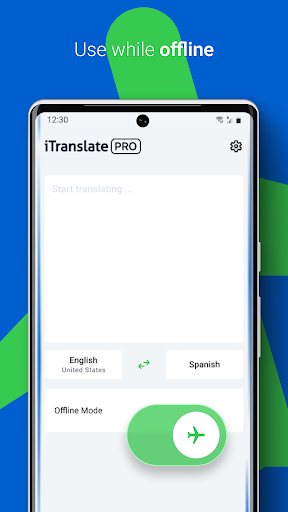
For times when internet access is limited, download language packs to enable offline text and voice translations. Offline performance is tuned for speed and low memory use; larger cloud-backed translations remain available when connected for improved nuance and context. iTranslate Translator clearly labels downloadable packs and their storage requirements so you can manage space.
Practical scenarios and workflow
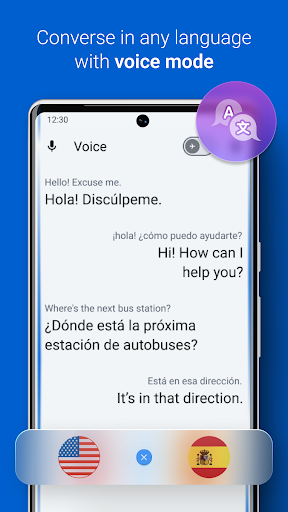
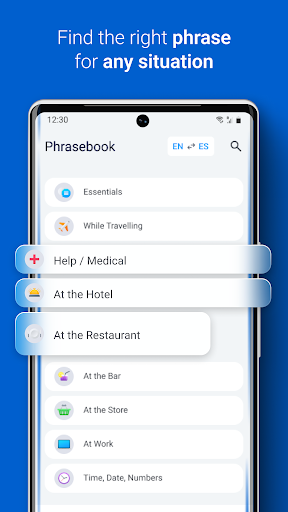
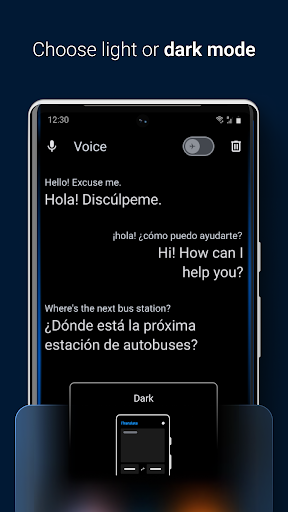
Travelers will appreciate phrasebook organization and quick-access travel mode for common situations like ordering food or asking for directions. Business users can paste or import longer documents for batch translation, while students can use the conjugation and vocabulary features for language study. The conversation mode allows two people to speak in turn, with translations displayed and read aloud to both participants.
Customization and personalization
Personalize the app by creating folders for saved phrases, toggling formal or informal register where supported, and selecting regional dialects for audio playback. Adjust speech rate and choose between male or female voices for pronunciation examples. These options make iTranslate Translator adaptable for different age groups, learning styles, and cultural contexts.
Performance and compatibility
Designed to run smoothly on a wide range of Android devices, the app uses optimized routines to minimize battery drain while maintaining quick response times. It supports recent Android OS versions and has options to offload heavy processing to cloud servers when on Wi-Fi. Memory and CPU usage are monitored to keep background activity light during extended use.
Privacy and security
Privacy controls let you decide whether translations are processed locally or sent to cloud servers. The app requests microphone and camera permissions only when needed and includes an option to clear history or disable cloud syncing. Account-based features, such as cross-device phrase sync, are protected by standard authentication and encrypted transfers.
Getting started quickly
- Install and open the app: select your primary languages during the first launch.
- Grant permissions: allow microphone and camera access for voice and photo translation.
- Download offline packs: optional language packs are available under settings for offline access.
- Try conversation mode: tap the microphone and speak to see how instant playback and transcription work.
iTranslate Translator balances speed and capability for everyday translation needs, offering useful features for travelers, professionals, and learners. Regular updates refine voice recognition, expand language support, and add usability improvements so the app remains practical and responsive across a variety of situations.
Show More
Information
Screenshots
Latest Update












Latest News
-
![Revealing the Launch Playlists and Cross-Progression for COD Warzone Mobile News]()
-
![March 2024 Free Redemption Codes for Honkai: Star Rail News]()
-
PUBG Mobile Teams Up with Bentley Motors: Luxury Cars, Exclusive Collectibles, and Beyond 2024-04-18
![PUBG Mobile Teams Up with Bentley Motors: Luxury Cars, Exclusive Collectibles, and Beyond News]()
-
![Monster Never Cry is now accessible on both Android and iOS mobile devices. News]()
-
V2.2 of the Farlight 84 update introduces an overhauled Season structure, fresh in-game currency, an 2024-04-16
![V2.2 of the Farlight 84 update introduces an overhauled Season structure, fresh in-game currency, an News]()
-
![Arrival of Genshin Impact 4.6 Update: 'Embers of Two Realms, Twilight of Crimson' News]()
-
April 2024 Clash of Clans Update: Unveiling a Fresh Companion, Enhanced Levels, Chat Tagging, and Be 2024-04-16
![April 2024 Clash of Clans Update: Unveiling a Fresh Companion, Enhanced Levels, Chat Tagging, and Be News]()






