

Sideline
Version:12.56.1
Published:2026-11-21
Introduction
If you're the kind of user who prefers to keep business contacts and personal life separate, Sideline gives you a dedicated second number and tools to manage calls and messages without mixing up conversations.
Sideline puts a second phone line on your Android device so you can present a professional number, screen incoming contacts, and keep a tidy communication history. The app lets you pick a local area code, handle voice and multimedia messages on your cellular plan, and customize how calls are answered or routed. It also includes features for organizing contacts and protecting privacy, making it useful for freelancers, small teams, or anyone who needs a clear boundary between roles.
Getting Started with Sideline
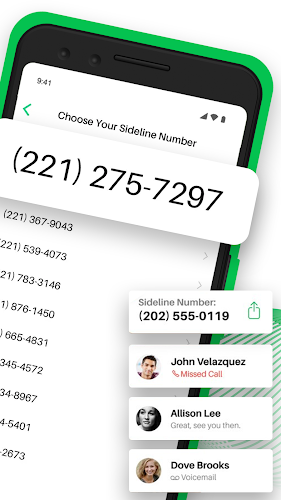
Choose your number: When you sign up you can select a local area code and pick a number that suits your region or business presence instead of receiving a random assignment.
Activate on your device: Sideline runs on your carrier connection so calls and texts use your cell service; installation walks you through permission steps and linking to your contacts.
Transfer and sync contacts: You can import existing phone book entries and add notes to contacts so names and context travel with the second line.
Use across devices: Sideline supports access from multiple devices when you need the same number shared on a tablet or a teammate's phone for continuity.
Typical setups: Many people create a Sideline number for selling goods online or posting classified ads so their primary number stays private. Others use a Sideline line temporarily during a short-term project or while hiring, keeping work calls separate from family life.
Features of Sideline
Local number selection: Pick a number with the area code you want so clients or contacts see a familiar local prefix rather than an unknown region.
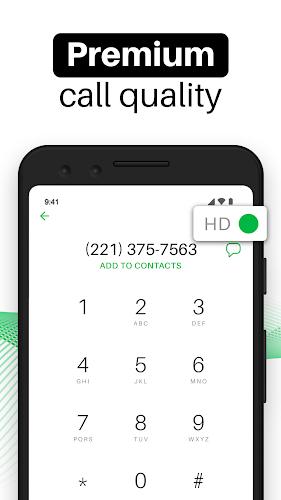
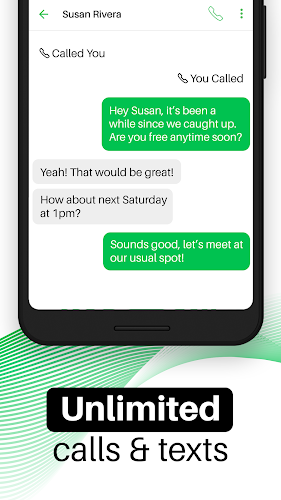
Cellular calling and texting: All voice and message traffic goes over your mobile network, meaning you do not depend on Wi-Fi for reliability.
Message and media support: Send and receive standard texts, photos, video clips, and animated GIFs to keep conversations expressive on the second line.
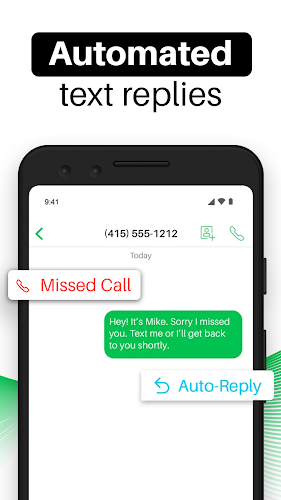
Auto-replies and missed-call responses: Configure automatic text replies for missed calls so callers receive immediate information when you are unavailable.
Call routing and voicemail options: Forward incoming Sideline calls to your main number, record a custom voicemail greeting, and review transcripts of audio messages.
Organizational tools: Flag favorite contacts, add private notes to entries, and maintain a blacklist to block unwanted numbers.
Privacy protection features: The app includes services that search public data brokers and submit removal requests to reduce the chance of your Sideline number being linked to personal details.
Pros & Cons
- Separate line without extra hardware
- Pick a local area code for a professional presence
- Voicemail transcription and customizable greetings
- Requires an active subscription for full access
- Number changes and forwarding have some limits you should review
Final Words
Sideline offers a straightforward way to add a second phone number to your Android device and manage work-related communications with greater control. If you need a separate public line for business, sales listings, or short projects, give Sideline a try and see if its call handling and privacy options fit your routine.
Show More
Information
Screenshots

Latest Update












Hot Tags
Latest News
-
![Revealing the Launch Playlists and Cross-Progression for COD Warzone Mobile News]()
-
![March 2024 Free Redemption Codes for Honkai: Star Rail News]()
-
PUBG Mobile Teams Up with Bentley Motors: Luxury Cars, Exclusive Collectibles, and Beyond 2024-04-18
![PUBG Mobile Teams Up with Bentley Motors: Luxury Cars, Exclusive Collectibles, and Beyond News]()
-
![Monster Never Cry is now accessible on both Android and iOS mobile devices. News]()
-
V2.2 of the Farlight 84 update introduces an overhauled Season structure, fresh in-game currency, an 2024-04-16
![V2.2 of the Farlight 84 update introduces an overhauled Season structure, fresh in-game currency, an News]()
-
![Arrival of Genshin Impact 4.6 Update: 'Embers of Two Realms, Twilight of Crimson' News]()
-
April 2024 Clash of Clans Update: Unveiling a Fresh Companion, Enhanced Levels, Chat Tagging, and Be 2024-04-16
![April 2024 Clash of Clans Update: Unveiling a Fresh Companion, Enhanced Levels, Chat Tagging, and Be News]()






