

Graphite Icon Pack
Version:2.1.8
Published:2026-11-05
Introduction
During a slow coffee break when your phone feels stale, Graphite Icon Pack offers a quick way to give your home screen a fresh, minimalist look. The pack delivers a large collection of clean, grey-toned icons plus matching wallpapers that work together to simplify app pages and sharpen visual hierarchy. If you like low-key themes that still feel curated, Graphite Icon Pack provides straightforward tools to swap icons, preview layouts, and keep your setup consistent without a long learning curve.
Getting Started with Graphite Icon Pack
Install and grant permissions: After installation you only need to allow basic permissions so the pack can read installed apps and apply icons where possible.
Open the app dashboard: The main screen shows icon previews, wallpaper options, and quick links to supported launchers and apply routines.
Apply icons: Pick either an automatic apply option for a supported launcher or manually select icons to replace individual app shortcuts.
Preview and backup: Use the preview mode to test layouts before applying and save your favorite arrangement so you can restore it later if you try a different theme.
Features of Graphite Icon Pack
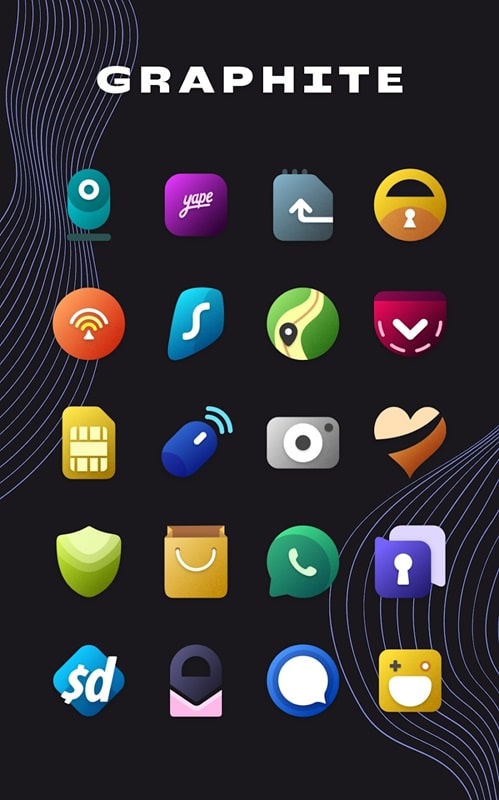
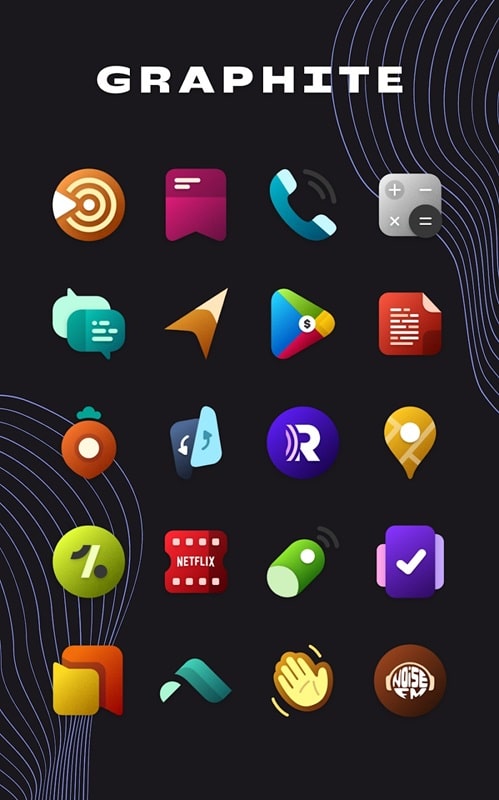
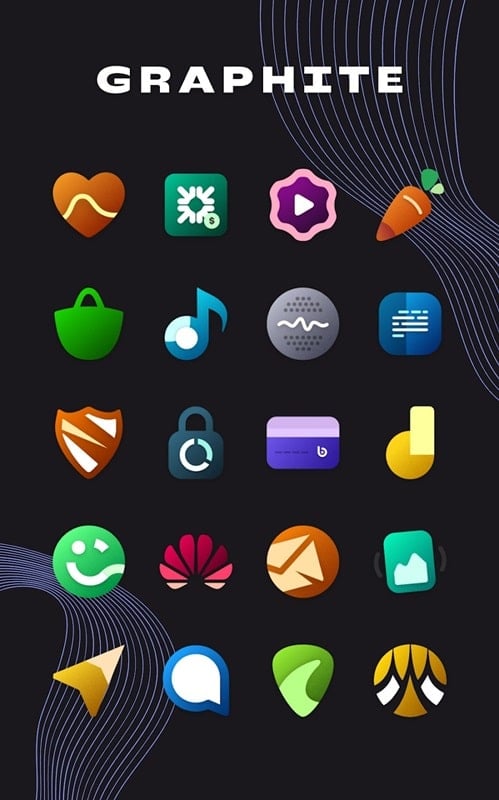
Extensive icon library: The collection includes well over a thousand icons so most of your apps will receive a matching glyph without gaps.
Handcrafted visuals: Each icon is drawn with a minimalist aesthetic in mind, keeping shapes simple and contrast balanced for a calm home screen.
Coordinated wallpapers: More than fifty wallpaper options are provided, designed to complement the icons and reduce visual clutter while toning down blue light.
Regular updates: The developer updates the pack frequently to add new icons and widen compatibility with freshly released apps.
Lightweight design files: Assets aim to stay compact, so applying themes won’t add noticeable load to device storage or performance.
Tips and Tricks
Create a work-friendly layout: Use a streamlined icon set and a muted wallpaper to prepare a distraction-free home screen before meetings or presentations.
Night-friendly setup: Switch to darker wallpapers from the pack for evening use to reduce screen glare and make notifications less intrusive.
Batch-tidy folders: Group similar apps and apply a single icon to a folder for a cleaner dock and faster access to key tools.
Refresh on the go: If you travel, swap to a compact icon theme and larger icons so you can reach apps quickly while commuting or between stops.
Suitable for Graphite Icon Pack
- Users who prefer a minimalist and cohesive home screen.
- Anyone who customizes their phone frequently and wants regular icon updates.
- People preparing a device for a professional setting or demo.
- Those who favor low-contrast wallpapers to ease evening use.
Final Verdict
Graphite Icon Pack is a solid choice if you want a calm, consistent look without complicated tools; it pairs a broad icon set with matching wallpapers and straightforward apply options. Keep in mind that full automation depends on launcher compatibility and you may need to apply a few icons by hand, but the pack excels at making a practical, low-noise home screen that stays updated over time.
Show More
Information
Screenshots
Latest Update










Hot Tags
Latest News
-
![Revealing the Launch Playlists and Cross-Progression for COD Warzone Mobile News]()
-
![March 2024 Free Redemption Codes for Honkai: Star Rail News]()
-
PUBG Mobile Teams Up with Bentley Motors: Luxury Cars, Exclusive Collectibles, and Beyond 2024-04-18
![PUBG Mobile Teams Up with Bentley Motors: Luxury Cars, Exclusive Collectibles, and Beyond News]()
-
![Monster Never Cry is now accessible on both Android and iOS mobile devices. News]()
-
V2.2 of the Farlight 84 update introduces an overhauled Season structure, fresh in-game currency, an 2024-04-16
![V2.2 of the Farlight 84 update introduces an overhauled Season structure, fresh in-game currency, an News]()
-
![Arrival of Genshin Impact 4.6 Update: 'Embers of Two Realms, Twilight of Crimson' News]()
-
April 2024 Clash of Clans Update: Unveiling a Fresh Companion, Enhanced Levels, Chat Tagging, and Be 2024-04-16
![April 2024 Clash of Clans Update: Unveiling a Fresh Companion, Enhanced Levels, Chat Tagging, and Be News]()






