
Darko - Icon Pack
Version:9.1
Published:2026-11-09
Introduction
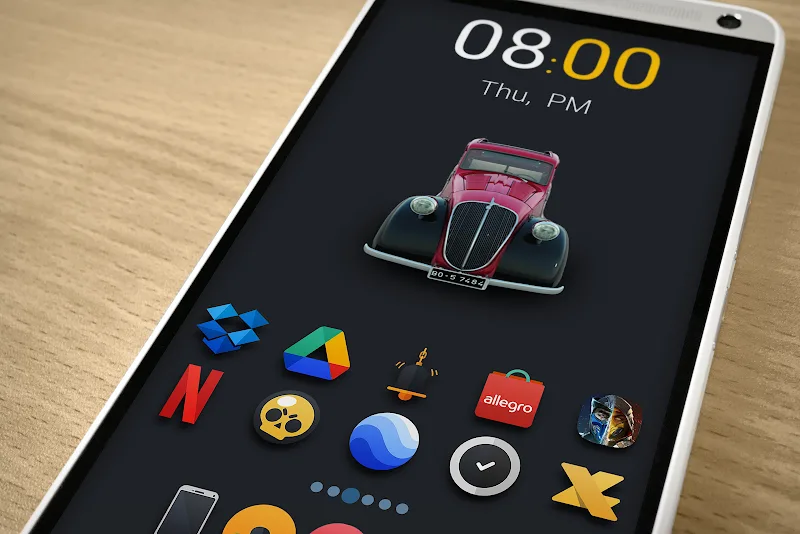
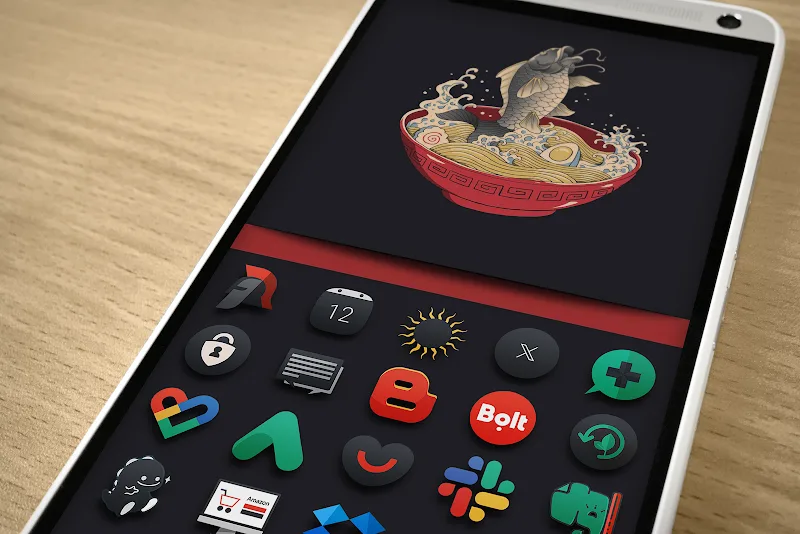
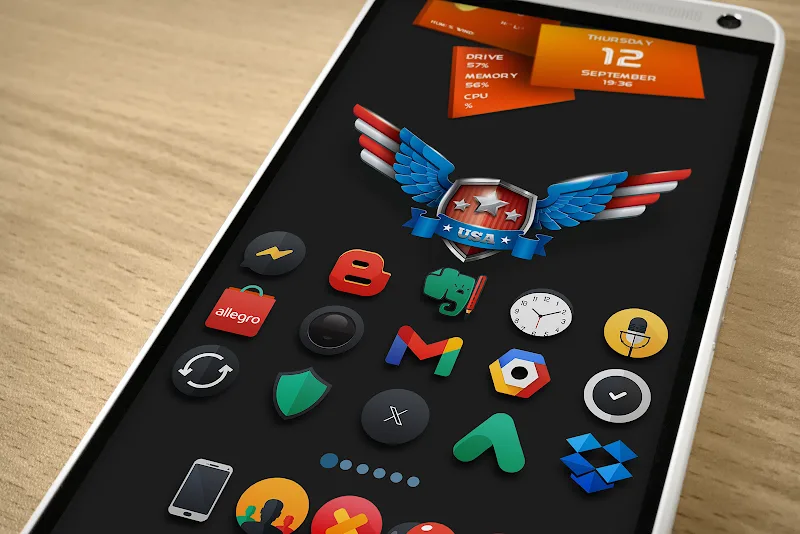
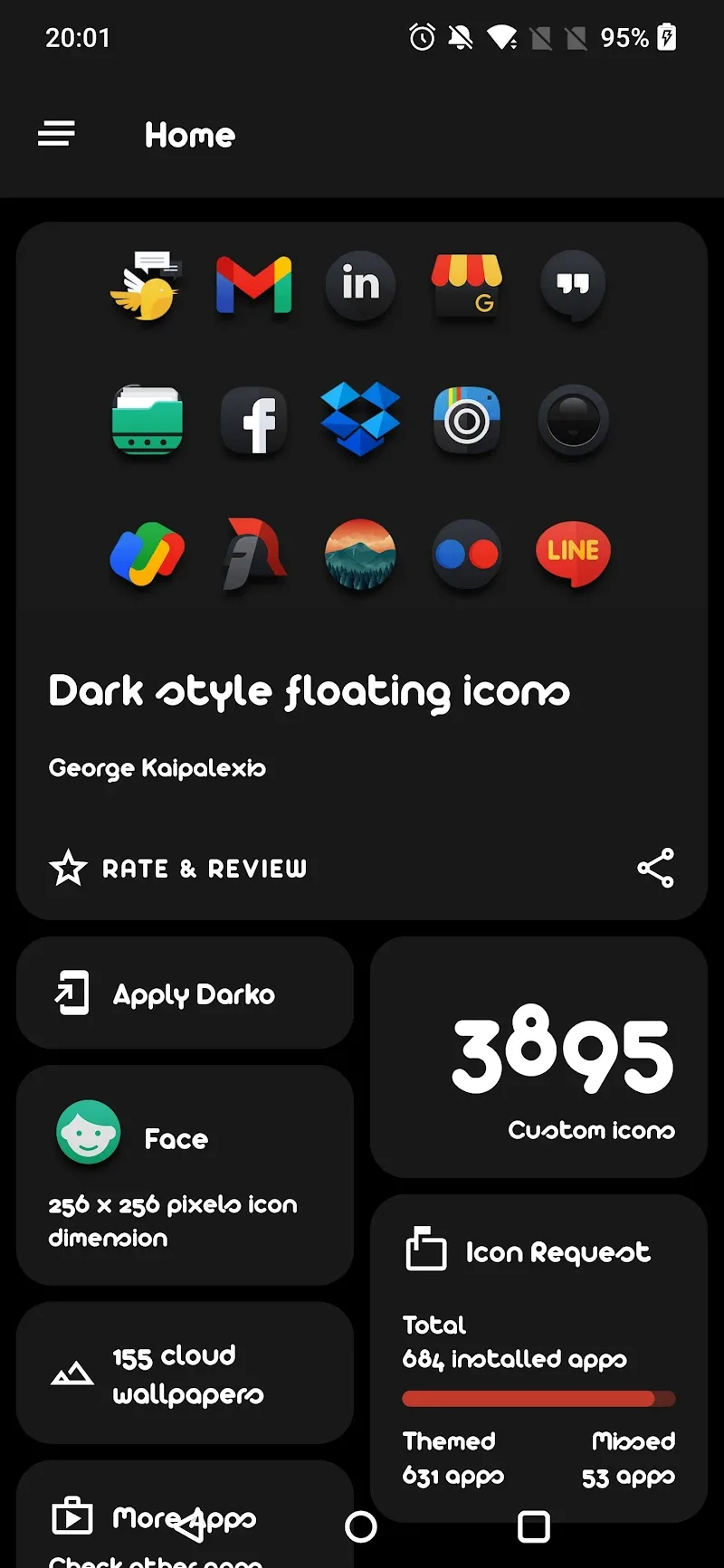
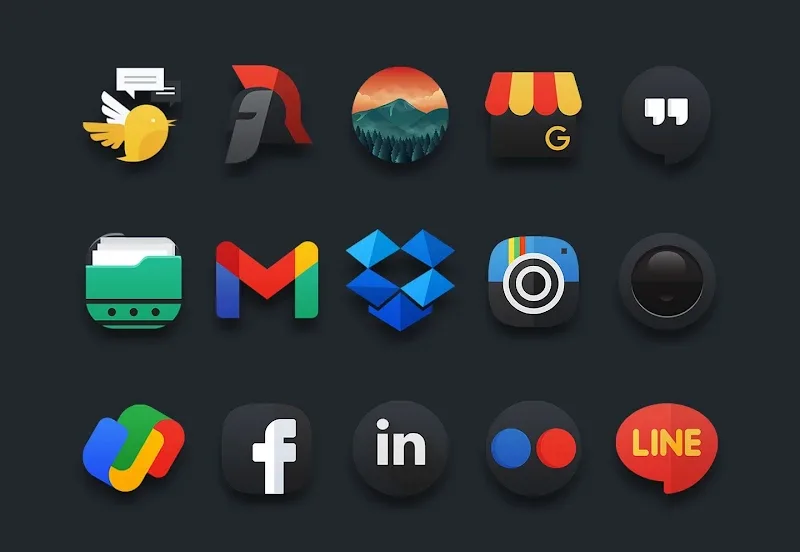
Darko - Icon Pack is an icon theme designed to replace your device's default app artwork with a cohesive, high-resolution collection that refreshes your home screen without a major overhaul. Darko - Icon Pack delivers more than 3,500 crisp icons and a number of alternate designs per supported app so you can experiment with different looks, mix and match variants, and return to a previous style quickly. The pack is focused on sharp visuals, consistent sizing across densities and automatic masking for apps that lack a dedicated icon, making it a practical first step toward a modern, organized workspace.
Key features and visual style
The icon set emphasizes clean geometry, subdued tones and careful contrast so icons remain readable at a glance on both phones and tablets. Each icon is prepared in high resolution to scale well on different screen densities and to keep launchers with adaptive icons looking consistent. You’ll find themed alternates that preserve the same visual language while offering different silhouettes or color accents, and a dynamic calendar option that updates date icons when your launcher supports live calendar tiles.
Controls and how to apply icons
Applying Darko - Icon Pack is handled through compatible Android launchers: you typically open your launcher’s appearance or icon settings, select the icon pack collection, and apply it globally or to individual icons. Many launchers also allow manual replacement per app, so you can choose a specific alternate icon for messaging, social or utility apps. Because behaviors vary by launcher, the pack purposely keeps its file structure and naming clear so manual replacements are straightforward when a launcher requires it.
Customization, progression and personalization
Rather than a game-like progression system, the customization process encourages iterative refinement: start with a base set to establish a consistent look, then swap in alternate icons to emphasize color or function for key apps. You can build a small collection of favorites and refine your home screens over time — consider grouping related apps into folders with matching icons or creating separate pages for work, media and utilities. Frequent toggling between alternate designs and organization choices is what creates long-term replay value for visual customization.
User experience and accessibility
Darko - Icon Pack aims to be accessible and easy to navigate: the high-contrast artwork helps legibility for users with vision sensitivity, and the consistent icon shapes reduce visual clutter. Because icons are stored locally, the theme works offline once installed, so you won’t depend on a network connection to display your chosen artwork. The set’s scalable assets and clear silhouettes also support users who prefer larger icons or simplified home-screen layouts.
Compatibility, limitations and maintenance
Compatibility covers most popular third-party launchers, but some stock launchers or specialized OEM home screens may not fully support custom packs or dynamic calendar tiles. Automatic masking provides reasonable placeholders for niche or very new apps until a dedicated icon is designed, though a few apps may require manual replacement in the launcher. The dynamic calendar feature only functions where the launcher supports live date icons, and applying the pack can involve a few manual steps on certain launchers; this trade-off preserves broad compatibility across many setups.
Updates and ongoing support
The pack is organized so designers can add icons and alternates over time, improving coverage for newly released apps and tightening visual consistency. Because assets are included with the package, updates deliver new art directly to your device and let you refresh your setup without losing previously chosen preferences. If you value a focused approach to personalization, Darko - Icon Pack provides a manageable, low-friction way to refresh your interface and maintain a consistent, modern look across app icons.
Show More
Information
Screenshots
Latest Update










Latest News
-
![Revealing the Launch Playlists and Cross-Progression for COD Warzone Mobile News]()
-
![March 2024 Free Redemption Codes for Honkai: Star Rail News]()
-
PUBG Mobile Teams Up with Bentley Motors: Luxury Cars, Exclusive Collectibles, and Beyond 2024-04-18
![PUBG Mobile Teams Up with Bentley Motors: Luxury Cars, Exclusive Collectibles, and Beyond News]()
-
![Monster Never Cry is now accessible on both Android and iOS mobile devices. News]()
-
V2.2 of the Farlight 84 update introduces an overhauled Season structure, fresh in-game currency, an 2024-04-16
![V2.2 of the Farlight 84 update introduces an overhauled Season structure, fresh in-game currency, an News]()
-
![Arrival of Genshin Impact 4.6 Update: 'Embers of Two Realms, Twilight of Crimson' News]()
-
April 2024 Clash of Clans Update: Unveiling a Fresh Companion, Enhanced Levels, Chat Tagging, and Be 2024-04-16
![April 2024 Clash of Clans Update: Unveiling a Fresh Companion, Enhanced Levels, Chat Tagging, and Be News]()






