

Talker ACR
Version:1.0.219
Published:2026-11-09
Introduction
Talker ACR is a lightweight Android app that records phone calls and voice memos with straightforward controls and strong privacy options. It captures incoming and outgoing conversations, offers multiple file formats, and makes managing recordings fast with flexible naming, cloud export, and search functions.
Overview
Designed for users who need reliable call capture without bloat, Talker ACR focuses on stability and ease of use. The app balances automatic recording modes with manual controls so you can tailor behavior for personal, professional, or archival use. It is compatible with a wide range of Android devices and emphasizes storage efficiency and playback quality.
Key Features at a Glance
- Automatic and manual recording: Choose whole-call capture, contacts-only, or tap-to-record for selective saving.
- Multiple audio formats: Save files as MP3, WAV, or AMR depending on quality and size needs.
- Smart naming and tags: Automatic filename templates, date stamps, and custom labels make organization simple.
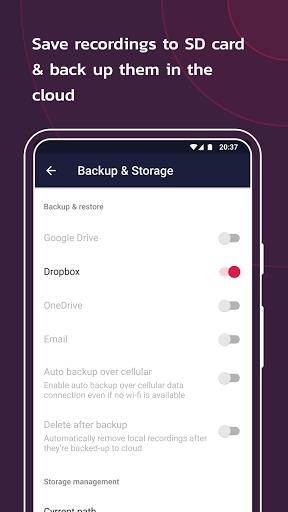
- Cloud sync and export: Send important recordings to Google Drive or local folders for backup and sharing.
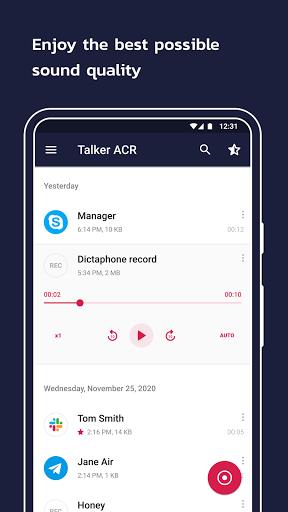
- Built-in player and waveform: Quick playback with scrubbing and jump-to-time for fast review.
How It Works
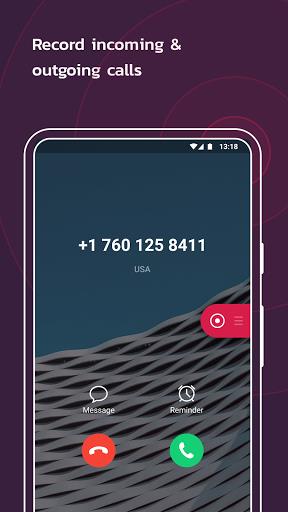
Talker ACR hooks into the Android audio stack and listens for call state changes to trigger recording. When a call starts, recording begins based on your selected profile. For manual sessions you can start or stop recordings with a single tap. The app saves files to an internal folder with metadata such as contact name, phone number, time, and duration that make later retrieval straightforward.
Recording Modes and Settings
The app provides several recording modes to suit different workflows. Automatic mode records all calls by default. Contacts-only restricts recording to numbers in your address book. Ignore-list lets you avoid recording for specific numbers. Additional settings control audio source selection, sample rate, and bit rate so you can prioritize clarity or conserve storage.
Interface and Performance
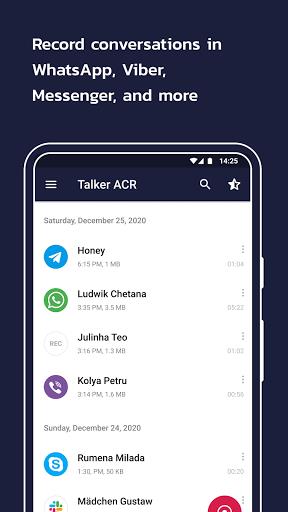
Talker ACR’s interface is utilitarian and responsive: a clean list of recordings with filters, search, and swipe actions for quick deletion or sharing. Playback feels snappy even on mid-range hardware because the app uses lightweight decoding and indexed file access. Performance remains steady during long recording sessions, and battery impact is kept minimal when background recording is active.
Privacy and Storage Options
Privacy is treated as a core consideration. Local encryption options protect recordings on the device, and the app requests only the permissions needed for operation. For long-term storage, configurable auto-delete rules clear old files after a set period, and scheduled backups move recordings to cloud storage on Wi‑Fi to preserve mobile data.
Tips for New Users
- Review permissions immediately after installation to ensure the microphone and storage access are enabled.
- Run a short test call to confirm the audio source and volume levels before relying on the app for important conversations.
- Use naming templates to automatically include caller ID and date for faster search later.
- Enable cloud sync on Wi‑Fi only to avoid data charges when backing up large files.
Getting Started
Installation is straightforward: download from a trusted store, grant the required permissions, and choose a recording profile. The first-run wizard guides you through essential settings such as audio format, storage path, and privacy options. Advanced users can fine-tune encoding parameters and integrate Talker ACR with third-party file managers for custom workflows.
Why People Choose It
Users often pick Talker ACR for its balance of reliability and control. It does not overload the interface with unnecessary features, but it still offers the tools most people need: robust automatic recording, practical export options, and clear playback. Whether you need a simple logger for interviews or a dependable recorder for business calls, the app delivers consistent results.
Show More
Information
Screenshots
Latest Update












Hot Tags
Latest News
-
![Revealing the Launch Playlists and Cross-Progression for COD Warzone Mobile News]()
-
![March 2024 Free Redemption Codes for Honkai: Star Rail News]()
-
PUBG Mobile Teams Up with Bentley Motors: Luxury Cars, Exclusive Collectibles, and Beyond 2024-04-18
![PUBG Mobile Teams Up with Bentley Motors: Luxury Cars, Exclusive Collectibles, and Beyond News]()
-
![Monster Never Cry is now accessible on both Android and iOS mobile devices. News]()
-
V2.2 of the Farlight 84 update introduces an overhauled Season structure, fresh in-game currency, an 2024-04-16
![V2.2 of the Farlight 84 update introduces an overhauled Season structure, fresh in-game currency, an News]()
-
![Arrival of Genshin Impact 4.6 Update: 'Embers of Two Realms, Twilight of Crimson' News]()
-
April 2024 Clash of Clans Update: Unveiling a Fresh Companion, Enhanced Levels, Chat Tagging, and Be 2024-04-16
![April 2024 Clash of Clans Update: Unveiling a Fresh Companion, Enhanced Levels, Chat Tagging, and Be News]()






