

InSave
Version:2.0.8
Published:2026-11-09
Introduction
InSave is a fast, lightweight Android utility designed to save photos, videos, and stories from social apps for offline viewing. It streamlines downloads with a single-tap workflow, batch saving, and simple file organization, making it practical for users who collect visual content without complicated settings.
What InSave Does
Built for users who frequently archive visual media, InSave focuses on speed and simplicity. Instead of a full social media client, it acts as a focused downloader and manager: detect media links, queue items for download, and organize them into folders you control. The app emphasizes minimal interaction and maximum reliability.
Core Features at a Glance
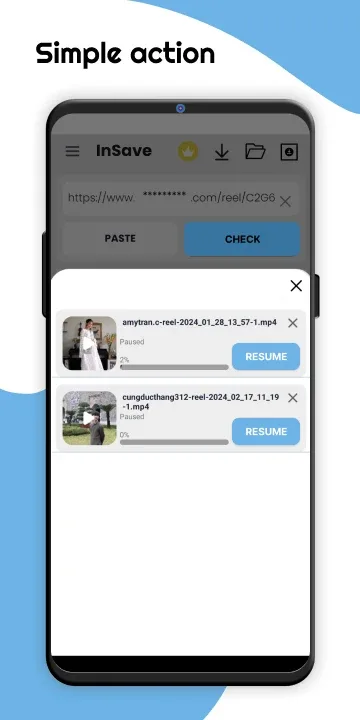
- Quick Save: Capture photos, reels, and stories with a single tap from shared links or in-app browser.
- Batch Download: Select multiple posts and download them in one pass to cut repetitive steps.
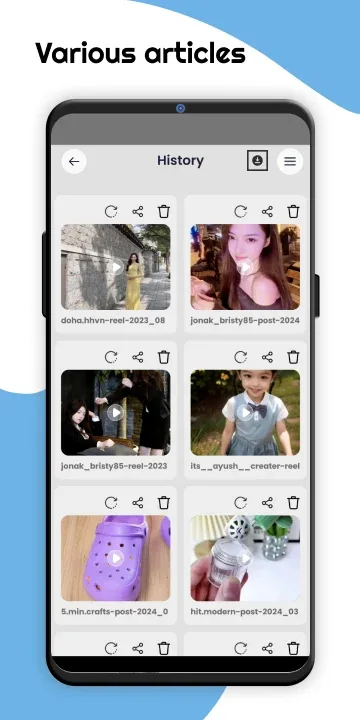
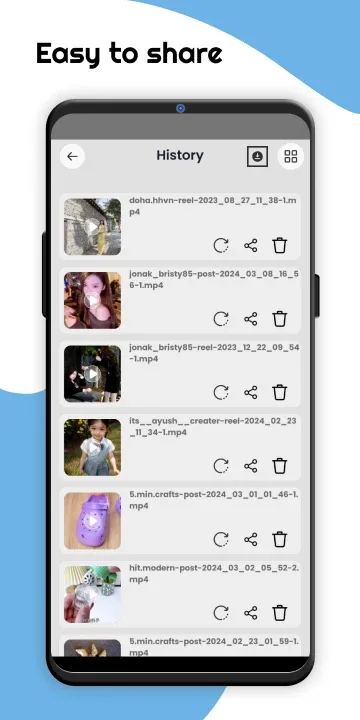
- Local Organization: Create folders, rename files, and move items without leaving the app.
- Preview & Playback: Built-in viewer for images and videos lets you inspect media before saving.
- Background Mode: Continue downloads while using other apps or when the device sleeps.
How It Works in Practice
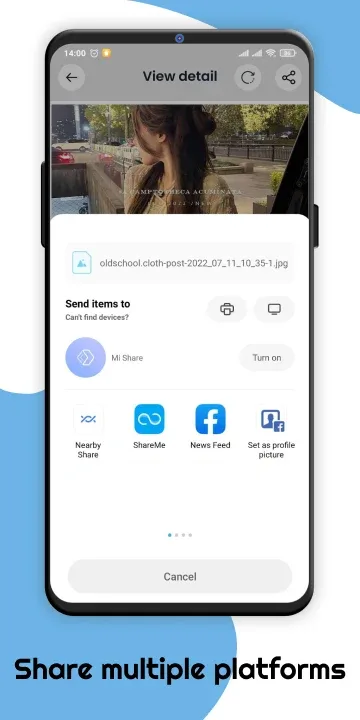
Using InSave is straightforward. Paste a link or use the share sheet from another app to send media to InSave. The app parses available media, displays thumbnails, and offers a save button. For frequent users, the clipboard monitor can detect copied links automatically and prompt you to save new items instantly.
User Interface and Controls
The interface keeps clutter to a minimum. Main controls are large and labeled, with an action bar for downloading, selecting, and organizing. Settings let you choose default folders, toggle notifications, and set download quality for video files. The design favors functional clarity over ornamental elements.
Performance and Resource Use
Performance is one of InSave's strengths. It uses efficient background threads for downloads and limits memory usage by streaming data to storage. Even on mid-range devices the app maintains responsive navigation while handling multiple simultaneous downloads. Battery and data usage options allow you to restrict transfers to Wi-Fi only.
Privacy and Permissions
InSave requests only the permissions needed to save and manage files: storage access and optional overlay/notification permissions for clipboard detection. There is no requirement to log into external accounts if you prefer manual link pasting, and the app stores files locally so you retain control over your content.
Helpful Tips for New Users
- Enable the clipboard monitor if you copy many links—InSave will suggest saves automatically.
- Create custom folders by project, person, or event to keep archives organized.
- Use the built-in preview to check media before batch saving to avoid extra downloads.
- Schedule large downloads for when you have Wi-Fi to conserve mobile data.
Pay attention to the app’s storage indicator so you don’t run out of space during large batch operations. The file renaming tool is handy for creating searchable archives.
Why People Choose It
Users appreciate InSave because it removes friction from saving visual content. Where manual screenshots or third-party tools are slow or unreliable, this app provides a predictable workflow and clear file management. Its lightweight footprint and focused feature set make it suitable for casual archiving and more intensive collectors alike.
Getting Started
Installation takes a few moments: download from your trusted source, grant the necessary permissions, and try saving a single post to confirm behavior. Explore settings to customize download quality and folder structure. If you prefer not to use automatic monitoring, the manual paste option gives the same control without background checks.
InSave balances straightforward functionality with practical tools for everyday use. Whether you need a reliable way to keep favorite visual moments offline or a tidy method to store reference images and clips, it delivers a focused experience without unnecessary complexity.
Show More
Information
Screenshots

Latest Update












Hot Tags
Latest News
-
![Revealing the Launch Playlists and Cross-Progression for COD Warzone Mobile News]()
-
![March 2024 Free Redemption Codes for Honkai: Star Rail News]()
-
PUBG Mobile Teams Up with Bentley Motors: Luxury Cars, Exclusive Collectibles, and Beyond 2024-04-18
![PUBG Mobile Teams Up with Bentley Motors: Luxury Cars, Exclusive Collectibles, and Beyond News]()
-
![Monster Never Cry is now accessible on both Android and iOS mobile devices. News]()
-
V2.2 of the Farlight 84 update introduces an overhauled Season structure, fresh in-game currency, an 2024-04-16
![V2.2 of the Farlight 84 update introduces an overhauled Season structure, fresh in-game currency, an News]()
-
![Arrival of Genshin Impact 4.6 Update: 'Embers of Two Realms, Twilight of Crimson' News]()
-
April 2024 Clash of Clans Update: Unveiling a Fresh Companion, Enhanced Levels, Chat Tagging, and Be 2024-04-16
![April 2024 Clash of Clans Update: Unveiling a Fresh Companion, Enhanced Levels, Chat Tagging, and Be News]()






