

Kapi Cam
Version:4.42.0
Published:2026-11-09
Introduction
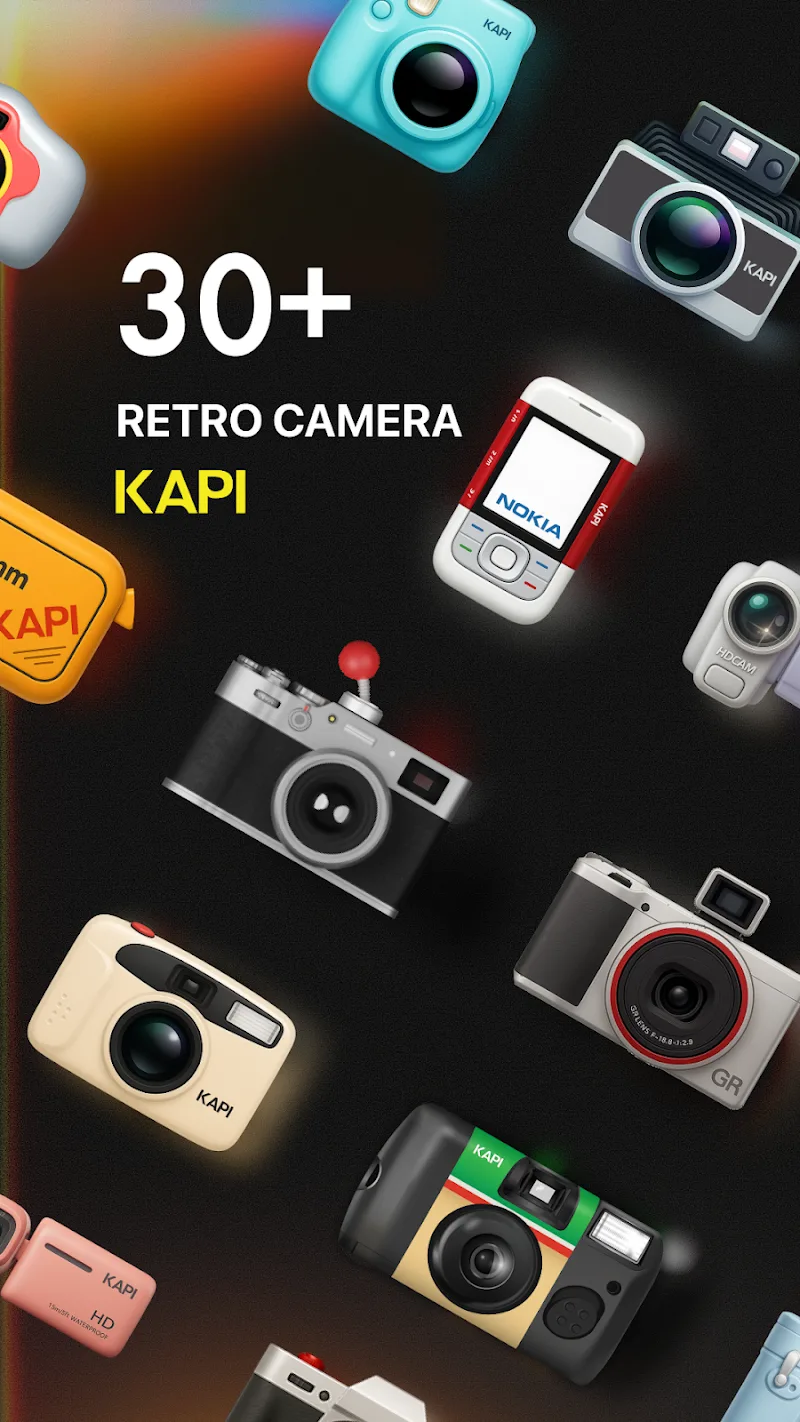
Kapi Cam brings a compact, powerful mobile camera suite that balances professional controls and intuitive design. With manual exposure, real-time filters, RAW capture, and streamlined sharing, Kapi Cam targets photographers who want fast workflows without sacrificing image quality on everyday shoots and creative projects.
Overview: What the app delivers
Kapi Cam is designed for users who need precision and speed. It combines manual camera controls with automated assists so both enthusiasts and professionals can capture images quickly or fine-tune settings for complex scenes. The app supports high-resolution output, lossless formats, and quick export to social platforms or cloud storage.
Core tools and feature set
- Manual controls: Full control over shutter speed, ISO, white balance, and focus for tailored exposures.
- RAW and JPEG capture: Save unprocessed RAW files alongside optimized JPEGs for flexible post-processing.
- Real-time filters: Non-destructive, GPU-accelerated filters with live preview to speed up creative decisions.
- Histogram and levels: Visual tools to judge exposure and color balance on the fly.
- Stabilization and burst mode: Reduced blur and rapid-fire shots for action or low-light photography.
How it works in practice
Launch the app and choose a shooting mode — auto, pro, or custom presets. In Pro mode you’ll see tactile sliders and dials for every setting; adjustments update the live view instantly so you can preview the result before pressing the shutter. Kapi Cam’s intelligent metering suggests base settings while still allowing manual overrides, reducing guesswork for tricky lighting.
User interface and workflow
The interface prioritizes quick access to the most-used tools. A single-swipe gesture moves between modes, while customizable shortcuts let you map functions like ISO lock or timer to on-screen buttons. Image review is fast: after capture you can swipe through thumbnails, inspect RAW histograms, and apply one-tap corrections or batch edits without leaving the app.
Customization and advanced options
Kapi Cam includes profile-based customization so you can save camera setups for landscapes, portraits, or night scenes. Custom grids, aspect ratios, and focus peaking are available for precise composition. Advanced users will appreciate tethering options and manual white balance presets that can be adjusted via Kelvin values for consistent color across shoots.
Performance and compatibility
Performance is tuned to modern Android hardware; the app uses hardware acceleration where available to keep previews smooth while applying complex filters. Kapi Cam is compatible with a wide range of devices and external lenses, and it manages memory carefully to avoid crashes during long sessions. Export options include full-resolution files, compressed copies for sharing, and direct uploads to popular cloud services.
Useful tips for better captures
- Use histogram checks: Rely on the histogram to avoid blown highlights in bright scenes.
- Lock exposure for consistency: When shooting a sequence, lock exposure and focus to maintain uniform results.
- Leverage RAW: Shoot RAW in mixed lighting, then use the app’s editing tools to recover shadow detail.
- Preset workflows: Create presets for common scenarios to speed up setup between shoots.
Why photographers choose this app
Users appreciate how Kapi Cam blends depth of control with a clean UI. Beginners get helpful recommendations, while experienced photographers can dial in precise settings. The speed of the live preview and the range of export options make it practical for both casual sharing and professional delivery.
Getting started and installation
Download Kapi Cam from your device’s app store and grant basic permissions like camera and storage. Start in auto mode to explore the interface, then switch to Pro when you want to experiment with manual settings. The built-in tutorial covers essentials and shows how to save custom profiles and export high-quality files.
Final notes on usability
Whether you’re building a mobile portfolio or capturing moments during travel, Kapi Cam offers a flexible toolkit that adapts to different shooting styles. Regular updates add refinements and new tools, keeping the app responsive to evolving user needs without adding unnecessary complexity.
Show More
Information
Screenshots




Latest Update











Hot Tags
Latest News
-
![Revealing the Launch Playlists and Cross-Progression for COD Warzone Mobile News]()
-
![March 2024 Free Redemption Codes for Honkai: Star Rail News]()
-
PUBG Mobile Teams Up with Bentley Motors: Luxury Cars, Exclusive Collectibles, and Beyond 2024-04-18
![PUBG Mobile Teams Up with Bentley Motors: Luxury Cars, Exclusive Collectibles, and Beyond News]()
-
![Monster Never Cry is now accessible on both Android and iOS mobile devices. News]()
-
V2.2 of the Farlight 84 update introduces an overhauled Season structure, fresh in-game currency, an 2024-04-16
![V2.2 of the Farlight 84 update introduces an overhauled Season structure, fresh in-game currency, an News]()
-
![Arrival of Genshin Impact 4.6 Update: 'Embers of Two Realms, Twilight of Crimson' News]()
-
April 2024 Clash of Clans Update: Unveiling a Fresh Companion, Enhanced Levels, Chat Tagging, and Be 2024-04-16
![April 2024 Clash of Clans Update: Unveiling a Fresh Companion, Enhanced Levels, Chat Tagging, and Be News]()






