

Nicegram: Secure AI Messenger
Version:1.35.1
Published:2026-11-10
Introduction
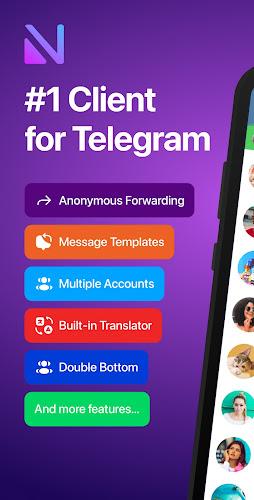
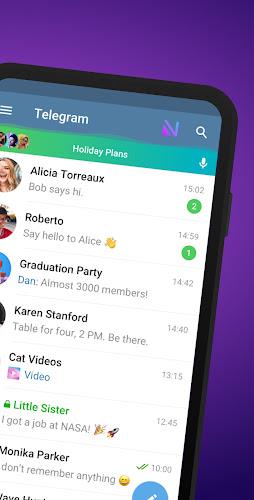
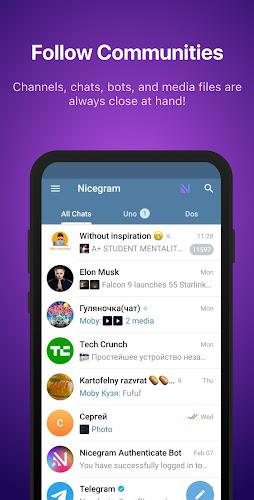
Connect and translate - Nicegram: Secure AI Messenger aims to be more than a simple chat client by blending privacy controls with AI-driven helpers. The app centralizes messaging, account management and a handful of extended tools so you can keep conversations private while automating tasks like translating or summarizing long threads. Whether you juggle multiple profiles for work and personal life or want an app that stores payments and crypto in one place, Nicegram: Secure AI Messenger pitches itself as an adaptable hub for secure conversations and everyday messaging chores.
Getting Started with Nicegram: Secure AI Messenger
Install and sign in: Downloading and creating an account follows a straightforward flow; you can connect existing Telegram credentials or set up a new profile in minutes.
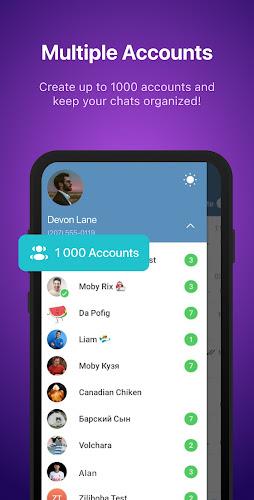
Switch between accounts: Add several accounts and flip between them without logging out, keeping work and private chats separated.
Activate privacy modes: Secret chats and gesture-activated locks let you protect sensitive conversations with minimal setup.
Set up the wallet: If you plan to use the built-in crypto wallet, follow the in-app prompts to create or import a wallet and secure it with a PIN or biometric lock.
Features of Nicegram: Secure AI Messenger
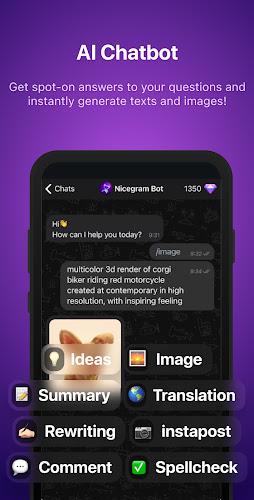
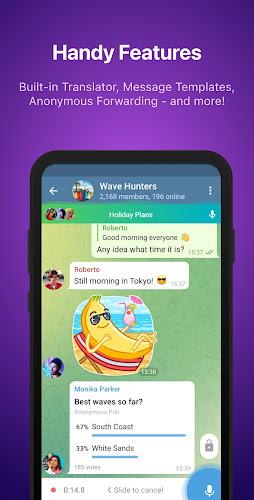
AI-powered assistance: Built-in assistants help translate incoming messages, create short replies and condense long threads into digestible summaries.
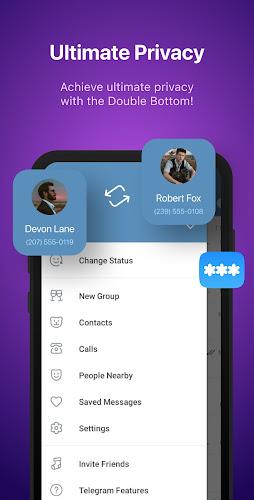
Multi-account support: Seamless account switching means you can monitor both personal and professional channels from one interface.
Enhanced privacy options: Beyond standard chat locks, the app supports hidden conversations and quick gestures to blur or conceal content on demand.
Access to restricted content: The client can surface media and channels that might be harder to find in basic messaging apps, making it easier to retrieve shared files.
Customisation and themes: Interface tweaks, message styling and layout choices allow you to shape the app to your workflow and visual preferences.
Tips and Tricks
Use summarization for long threads: When a group chat becomes active, ask the AI helper to generate a short summary so you can catch up quickly and decide what needs your attention.
Manage accounts by context: Create profiles for different roles – one for casual chats, another for work – and pin the one you use most to the top for faster access.
Keep keys safe when using the wallet: Back up recovery phrases securely and use biometric locks where available to reduce the risk of losing access to funds.
FAQs about Nicegram: Secure AI Messenger
Is my chat data encrypted?
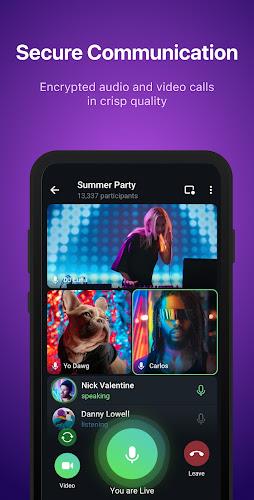
Many messaging functions use end-to-end or server-client encryption practices; check the app's privacy settings and documentation to confirm which chats are protected.
Can the AI helper translate offline?
Translation and summarization generally require internet access since they process message content on supported services; offline capabilities depend on the installed modules and your device.
Does the wallet support multiple cryptocurrencies?
The built-in wallet typically supports popular tokens and standard formats; verify the supported currencies in the wallet section before transferring funds.
Conclusion
Nicegram: Secure AI Messenger offers a mix of privacy controls, AI tools and account management that suit users who need a flexible messaging center. It works well for handling multiple identities and for cutting through busy group chats, though some advanced features depend on online services and vary by region. Check current version notes for availability and precise feature support before relying on any single tool.
Show More
Information
Screenshots
Latest Update












Hot Tags
Latest News
-
![Revealing the Launch Playlists and Cross-Progression for COD Warzone Mobile News]()
-
![March 2024 Free Redemption Codes for Honkai: Star Rail News]()
-
PUBG Mobile Teams Up with Bentley Motors: Luxury Cars, Exclusive Collectibles, and Beyond 2024-04-18
![PUBG Mobile Teams Up with Bentley Motors: Luxury Cars, Exclusive Collectibles, and Beyond News]()
-
![Monster Never Cry is now accessible on both Android and iOS mobile devices. News]()
-
V2.2 of the Farlight 84 update introduces an overhauled Season structure, fresh in-game currency, an 2024-04-16
![V2.2 of the Farlight 84 update introduces an overhauled Season structure, fresh in-game currency, an News]()
-
![Arrival of Genshin Impact 4.6 Update: 'Embers of Two Realms, Twilight of Crimson' News]()
-
April 2024 Clash of Clans Update: Unveiling a Fresh Companion, Enhanced Levels, Chat Tagging, and Be 2024-04-16
![April 2024 Clash of Clans Update: Unveiling a Fresh Companion, Enhanced Levels, Chat Tagging, and Be News]()






