

Glextor App Folder Organizer
Version:5.56.0.618
Published:2026-11-10
Introduction
Glextor App Folder Organizer helps Android users tidy apps into custom folders, shortcuts, and smart categories for faster access and a cleaner home screen. It combines automated sorting, one-tap folders, and backup options to streamline navigation on phones and tablets.
Key functions at a glance
Glextor App Folder Organizer offers a set of tools designed to reduce clutter and accelerate workflows. Create nested folders on the home screen, pin frequently used apps, and group programs by tags like work, media, or travel. The app supports both manual and automatic organization so you can choose a hands-off or highly tailored approach.
How the organizing engine works
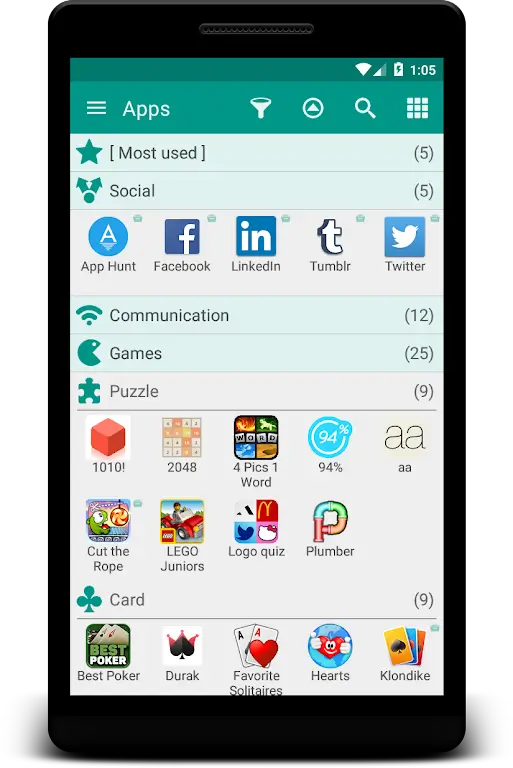
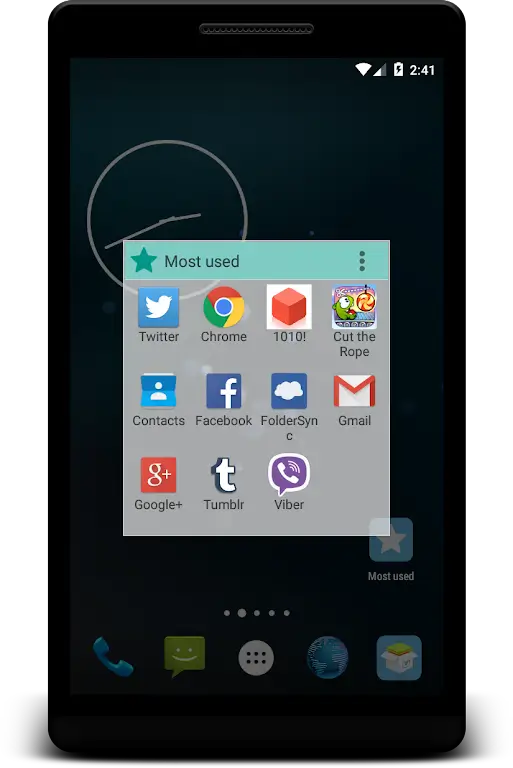
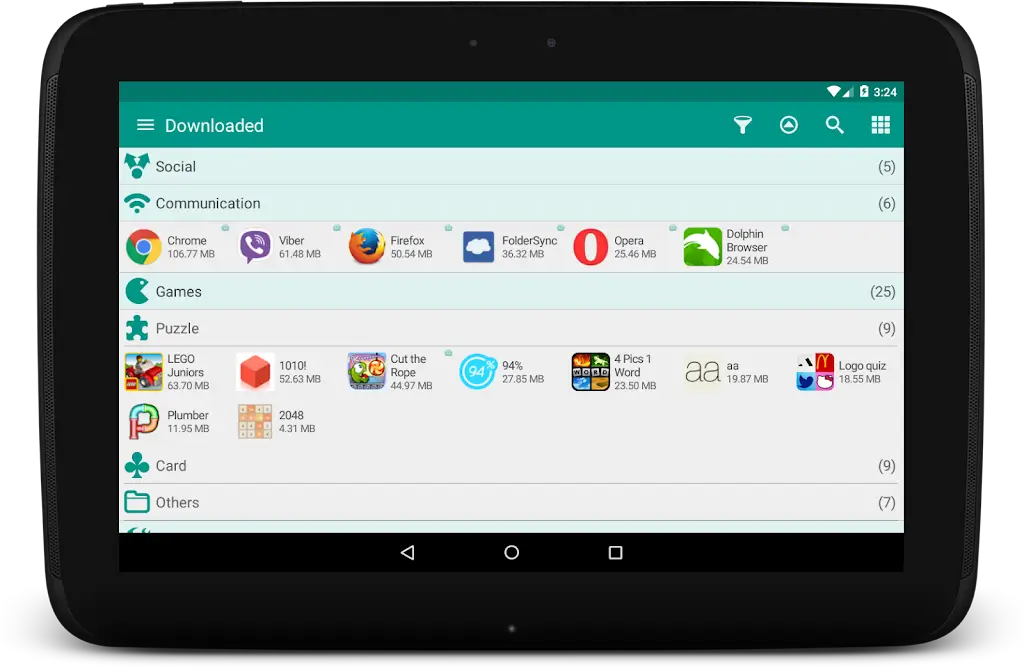
The core of Glextor App Folder Organizer is its intelligent sorting engine. It scans installed applications and suggests groupings based on usage patterns, categories, and developer metadata. Users can accept suggested folders, adjust rules, or build completely custom collections. Folders can be configured to open as pop-up grids, full-screen lists, or collapsible stacks.
Customization and visual options
Appearance is flexible: change folder icons, background transparency, and label styles to match your launcher or wallpaper. Shortcuts can be sized and arranged with simple drag-and-drop gestures. For power users, keyboard shortcuts and gesture triggers speed navigation, while widget support brings folders to any home screen panel.
Practical shortcuts and quick actions
Beyond folders, Glextor App Folder Organizer includes quick actions that let you launch multiple apps at once, open a folder with a long press, or create one-tap groups for common tasks like commuting or fitness. Shortcut bundles can be used for multi-step routines, such as opening a music player, navigation, and messaging app together.
Backup, restore, and synchronization
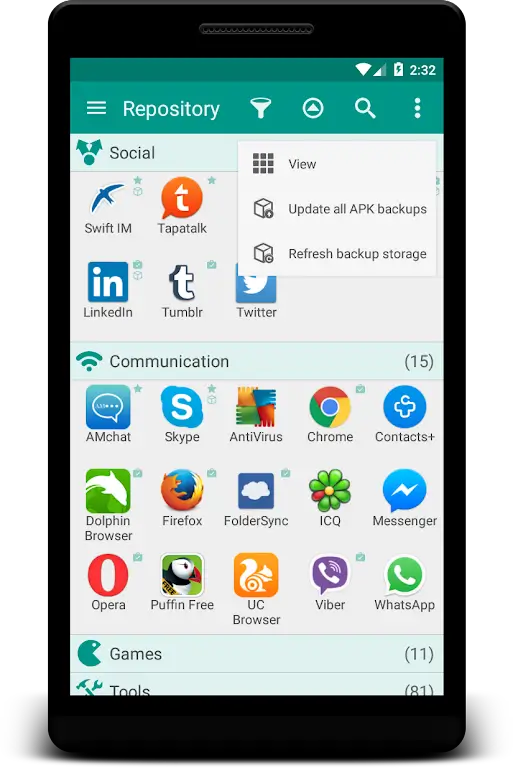
Protecting your layouts is straightforward. The app provides local backup and cloud sync options so folder arrangements and settings can be restored after a reset or transferred between devices. Backups can be scheduled automatically or created manually, with versioning to revert to previous configurations.
Performance and compatibility
Designed to be lightweight, Glextor App Folder Organizer minimizes battery and memory impact. It integrates with most third-party launchers and supports a wide range of Android versions. The app is optimized to avoid slowing down home screen animations and to work smoothly on phones and tablets of varying hardware capabilities.
Privacy and security considerations
The organizer accesses app lists and requires permissions only to deliver its core functions. User data related to layouts and preferences can be kept local unless cloud sync is enabled. Privacy settings let you exclude specific apps from indexing and lock folders with a PIN or biometric protection.
Workflow examples: real-world use
- Daily commute: a single folder with navigation, music, and news apps ready to launch with one tap.
- Work mode: grouped productivity tools, email, and calendar apps appear in a dedicated workspace that opens via gesture.
- Family device: separate folders for kids, media, and parental controls keep the interface organized and safe.
Tips for getting the most out of it
Start by accepting the suggested groups, then refine them over time. Use tags to create dynamic folders that update based on installed apps or usage frequency. Schedule backups after major layout changes and experiment with widget placements to reduce the number of taps needed for common tasks.
Installation and setup
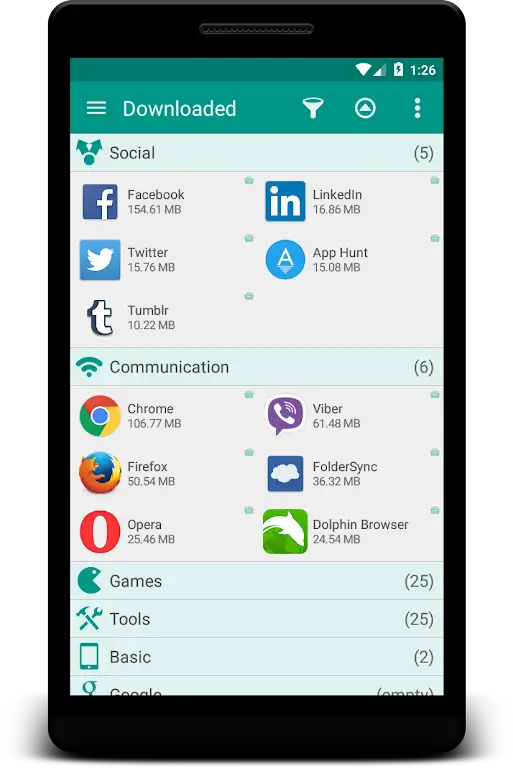
After installing Glextor App Folder Organizer, grant the minimal permissions requested and allow it to index your apps. Follow the setup wizard to import suggested categories or start from a blank slate. The interface guides you through creating the first folder and placing it on your home screen.
Glextor App Folder Organizer balances automation and control, delivering a practical way to declutter devices and access apps faster. With customizable visuals, robust backup options, and low resource usage, it’s a helpful tool for users who want a cleaner, more efficient Android experience.
Show More
Information
Screenshots
Latest Update








Latest News
-
![Revealing the Launch Playlists and Cross-Progression for COD Warzone Mobile News]()
-
![March 2024 Free Redemption Codes for Honkai: Star Rail News]()
-
PUBG Mobile Teams Up with Bentley Motors: Luxury Cars, Exclusive Collectibles, and Beyond 2024-04-18
![PUBG Mobile Teams Up with Bentley Motors: Luxury Cars, Exclusive Collectibles, and Beyond News]()
-
![Monster Never Cry is now accessible on both Android and iOS mobile devices. News]()
-
V2.2 of the Farlight 84 update introduces an overhauled Season structure, fresh in-game currency, an 2024-04-16
![V2.2 of the Farlight 84 update introduces an overhauled Season structure, fresh in-game currency, an News]()
-
![Arrival of Genshin Impact 4.6 Update: 'Embers of Two Realms, Twilight of Crimson' News]()
-
April 2024 Clash of Clans Update: Unveiling a Fresh Companion, Enhanced Levels, Chat Tagging, and Be 2024-04-16
![April 2024 Clash of Clans Update: Unveiling a Fresh Companion, Enhanced Levels, Chat Tagging, and Be News]()






