

Audify
Version:4.4.0
Published:2026-11-10
Introduction
Audify is a compact audio workstation and player for Android that blends high-quality playback, lightweight editing tools, and smart organization. Designed for listeners and creators, it supports multiple formats, on-device processing, and cloud sync. Audify streamlines daily audio tasks while keeping battery use and app size minimal.
What Audify does
At its core, Audify acts as a unified hub for music, podcasts, voice memos, and quick edits. The app handles common audio formats, applies real-time effects, and helps manage large libraries with metadata tagging and playlists. The balance between simple playback controls and deeper audio utilities is suited to commuters, content creators, and audio hobbyists.
Primary features
- Universal format support — plays MP3, AAC, WAV, FLAC and common streaming codecs without complex setup.
- Custom equalizer — a multi-band EQ with presets and manual tuning for precise tone shaping.
- Light editing — trim, fade, and normalize clips directly on your device for quick fixes.
- Noise reduction — basic background noise suppression designed for voice recordings and podcasts.
- Cloud sync and backup — optional integration with popular cloud services to keep projects accessible across devices.
- Widgets and quick actions — home screen controls for playback and recording shortcuts.
How it works in daily use
Begin by importing local files or linking a cloud folder. The library view organizes tracks by album, date, and custom tags. For creators, the recorder captures audio with adjustable sample rates. After recording, apply trimming, a light noise gate, or the equalizer presets before exporting. Export options include compressed and lossless formats so you can optimize file size or quality.
Interface and performance
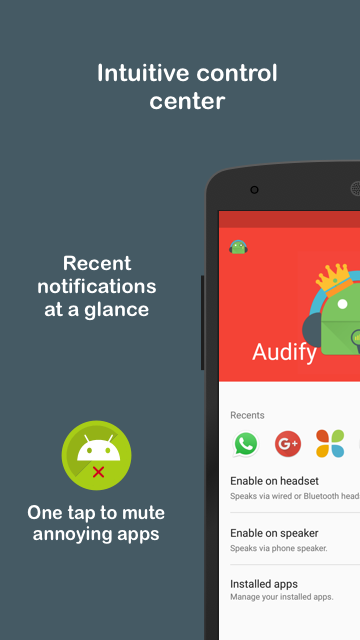
Audify's interface prioritizes clarity: large transport controls, waveform previews for edits, and a collapsible sidebar for playlists. The UI scales well on phones and tablets and supports dark mode. Engineers will appreciate the low-latency playback and ability to toggle processing chains to conserve CPU and battery when needed.
Tools and advanced settings
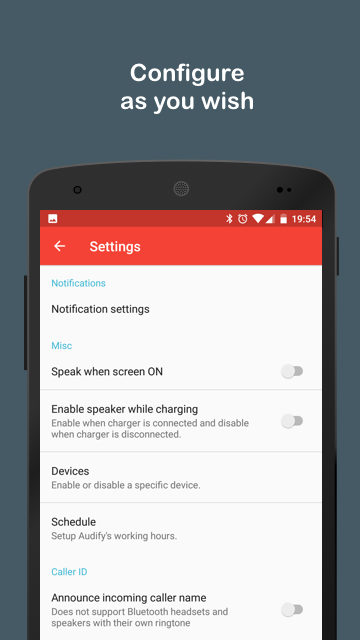
Beyond simple playback, Audify includes a few pro-style utilities. A batch tag editor speeds up library cleanup, and a loudness meter helps normalize episodes to a consistent level. For low-power devices there are performance presets that disable real-time effects and reduce background activity.
Getting started tips
- Import strategy: point the app at a single folder for automatic scanning, then use playlists to surface frequently used tracks.
- Quick edits: use the trim and fade tools immediately after recording to remove accidental silence.
- Save presets: store EQ and export settings for podcasts to maintain a consistent sound across episodes.
- Balance battery and quality: switch to the low-power preset during long playback sessions to extend runtime.
User experience highlights
Users report the app feels responsive even on mid-range devices and praise the lightweight installer. Audify avoids overwhelming beginners by hiding advanced controls behind clearly labeled menus, while still keeping them available for power users. The widget and notification controls make playback more accessible without opening the full app.
Who benefits most
Podcasters and voice-over creators will find the recorder, noise reduction, and export controls especially useful. Casual listeners benefit from the efficient playback engine and EQ presets. People who manage mixed libraries of music and spoken-word content will like the metadata tools and playlist options.
Installation and setup
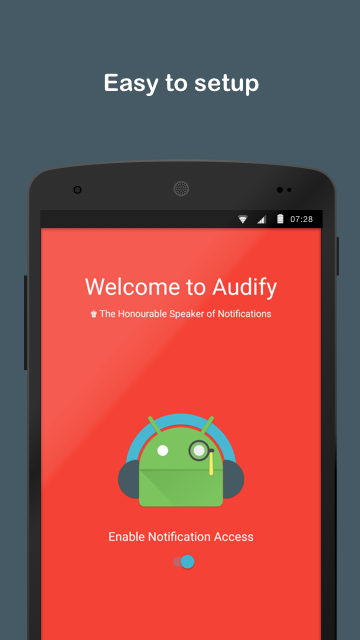
Download, grant storage and microphone permissions, and run the library scan. A guided onboarding offers a quick tour of the recorder and EQ. Optional cloud sign-in unlocks sync and backup features. Updates are modular to keep download sizes small.
Audify strikes a practical balance between everyday playback and on-device audio work. Whether you need a robust player, a simple editor, or a compact toolkit for producing short-form audio, it provides a focused set of tools without adding bloat.
Show More
Information
Screenshots
Latest Update










Hot Tags
Latest News
-
![Revealing the Launch Playlists and Cross-Progression for COD Warzone Mobile News]()
-
![March 2024 Free Redemption Codes for Honkai: Star Rail News]()
-
PUBG Mobile Teams Up with Bentley Motors: Luxury Cars, Exclusive Collectibles, and Beyond 2024-04-18
![PUBG Mobile Teams Up with Bentley Motors: Luxury Cars, Exclusive Collectibles, and Beyond News]()
-
![Monster Never Cry is now accessible on both Android and iOS mobile devices. News]()
-
V2.2 of the Farlight 84 update introduces an overhauled Season structure, fresh in-game currency, an 2024-04-16
![V2.2 of the Farlight 84 update introduces an overhauled Season structure, fresh in-game currency, an News]()
-
![Arrival of Genshin Impact 4.6 Update: 'Embers of Two Realms, Twilight of Crimson' News]()
-
April 2024 Clash of Clans Update: Unveiling a Fresh Companion, Enhanced Levels, Chat Tagging, and Be 2024-04-16
![April 2024 Clash of Clans Update: Unveiling a Fresh Companion, Enhanced Levels, Chat Tagging, and Be News]()






