
Launcher OS 27
Version:6.10.11
Published:2026-11-10
Introduction
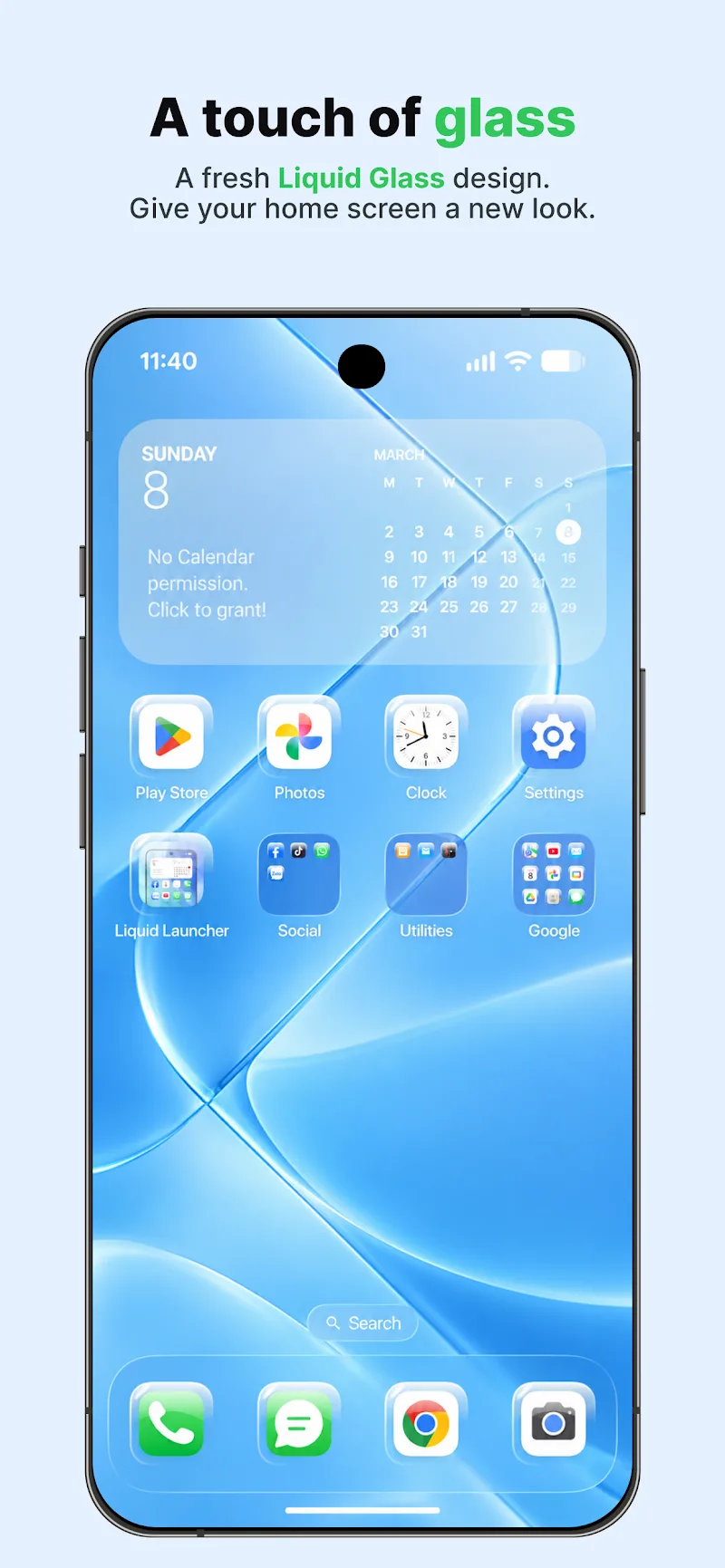
Launcher OS 27 transforms your Android home screen with a clean, efficient interface, quick navigation gestures, and smart organization tools. It adapts to different device sizes while keeping notifications and widgets accessible. Ideal for users seeking a streamlined launcher that balances aesthetics with practical customization.
Key Features Overview
Launcher OS 27 delivers a compact set of tools designed to simplify daily device use while offering meaningful personalization. The app focuses on improving workflow with gesture actions, adaptive layouts, and a lightweight app drawer. Background processes are minimized to preserve battery life, and visual elements are kept consistent across system themes.
Interface and Navigation
The launcher places emphasis on intuitive navigation. A configurable dock, swipe gestures for app search and quick settings, and a predictive suggestions bar make accessing commonly used functions faster. Users can choose between a classic grid layout or a more modern card-based arrangement. Touch targets are sized to reduce mis-taps, and animations are subtle to keep transitions smooth without draining performance.
Personalization and Themes
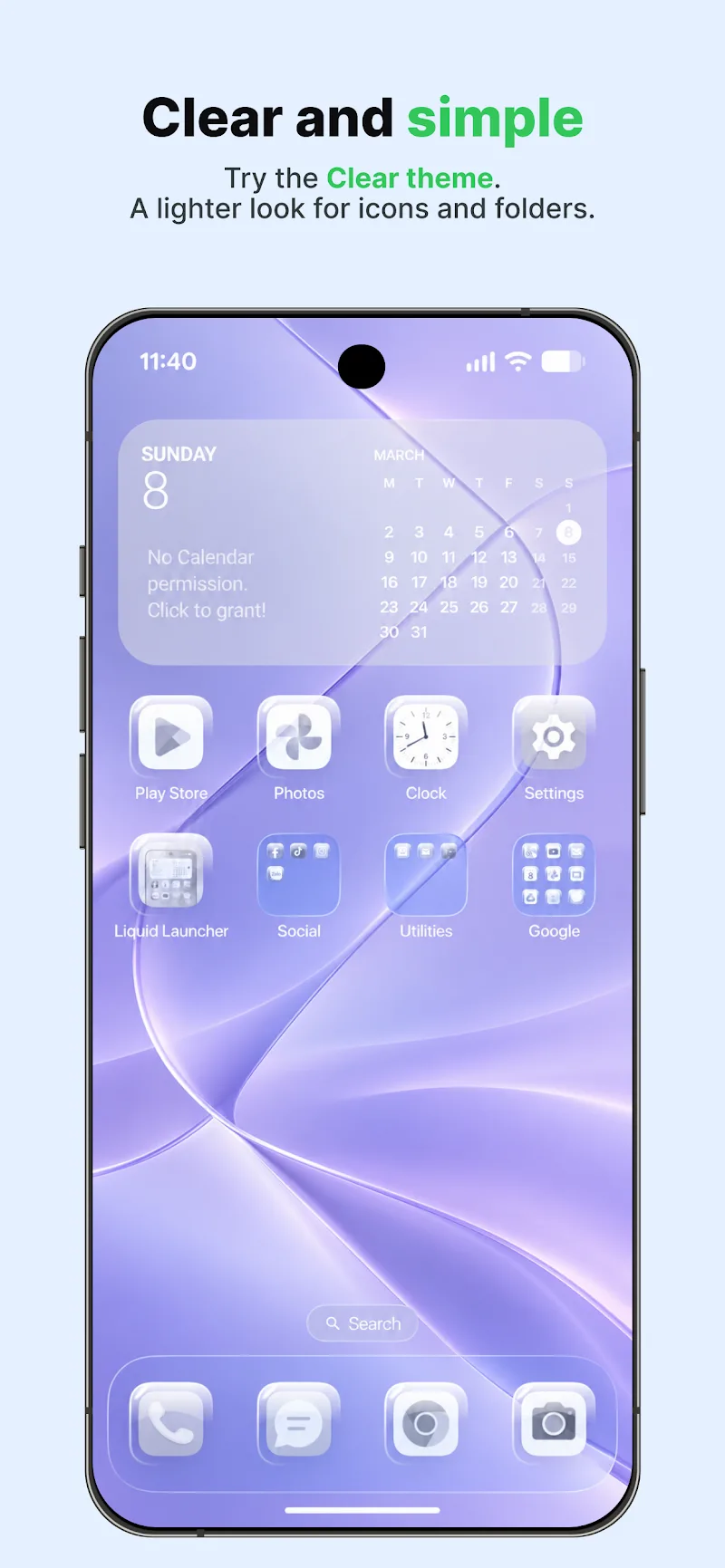
Launcher OS 27 supports multiple theme engines and offers a variety of icon packs, wallpapers, and color accents. A built-in theme editor lets you tweak icon size, label font, and spacing to suit personal taste. Preset theme collections are available for users who want a polished look immediately, while advanced options allow deeper customization for those who prefer granular control.
Widgets and Home Screen Management
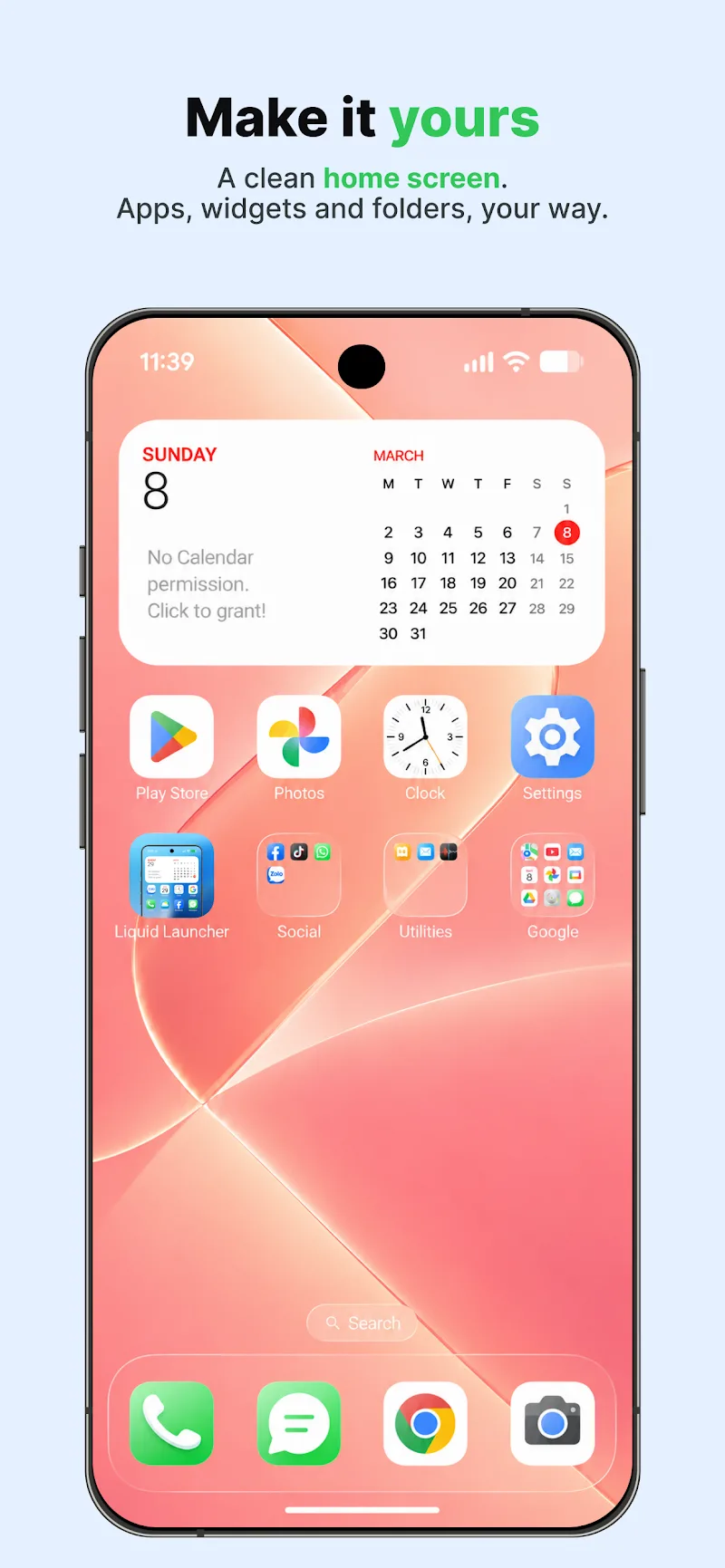
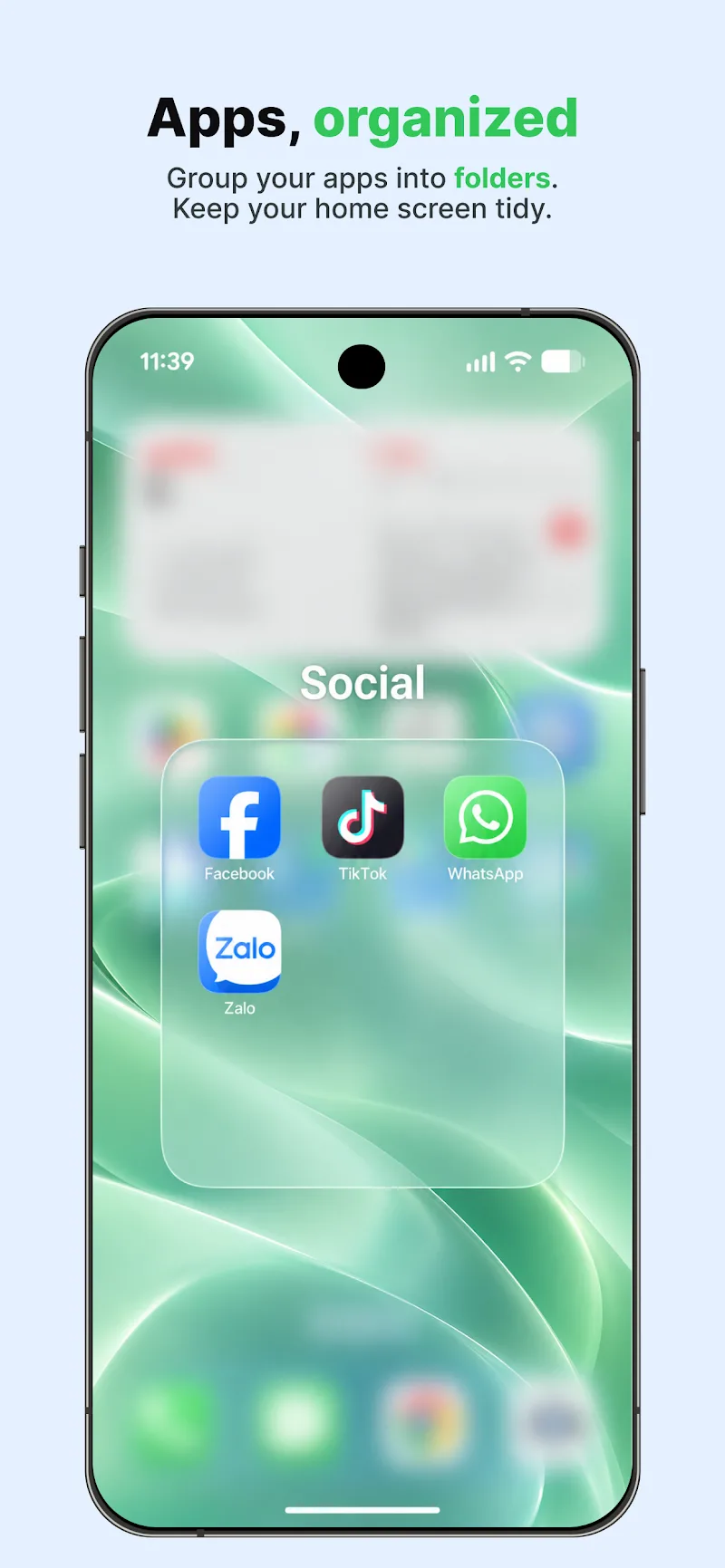
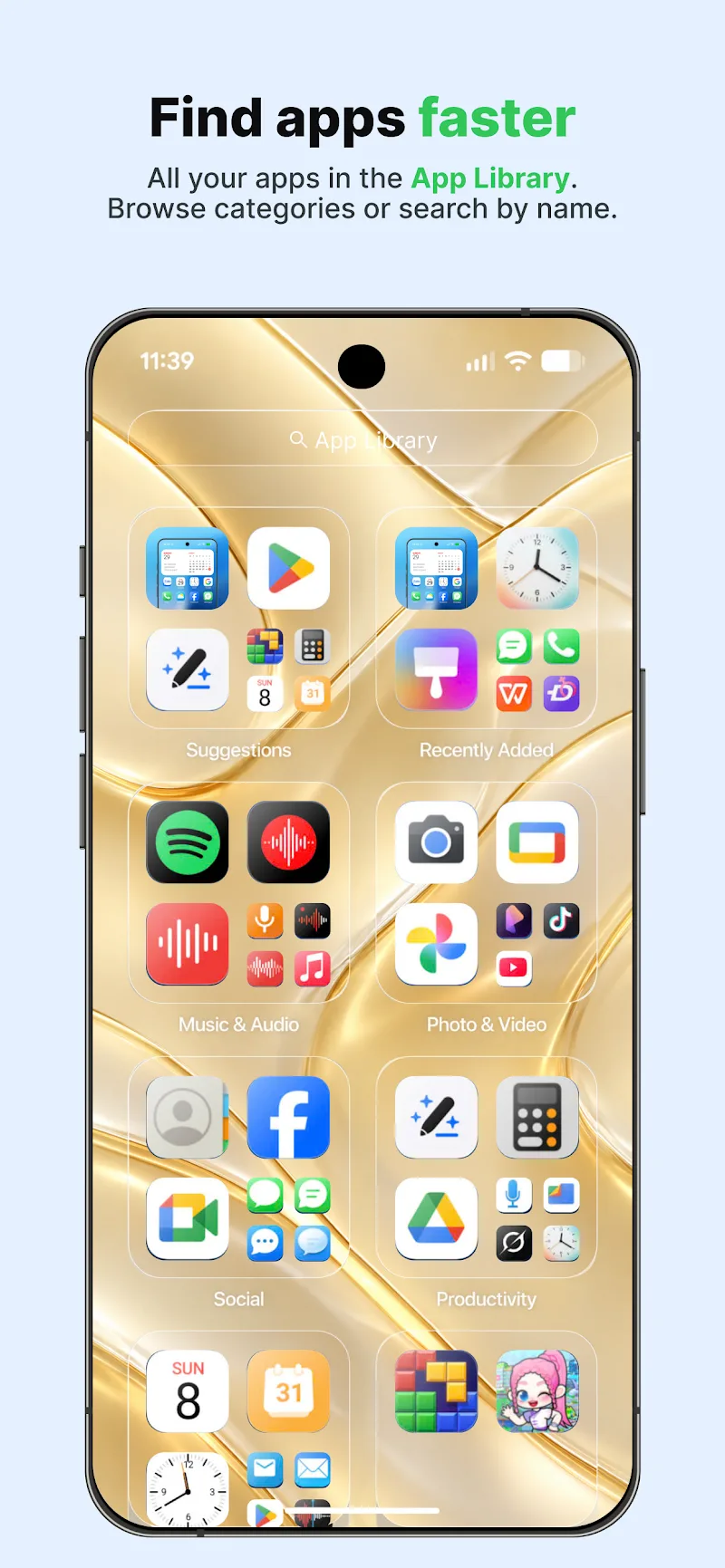
Home screen management is flexible: widgets can be resized, stacked, or hidden based on context. A smart home page suggests relevant widgets and shortcuts depending on the time of day and usage patterns. Folder handling has been refined so you can preview contents without opening folders, and a pinning feature keeps essential widgets always visible.
Productivity Tools
Built-in productivity features help reduce friction between tasks. Launcher OS 27 includes a quick search utility that scans apps, contacts, and settings, plus shortcuts for timers, notes, and voice commands. Split-screen shortcuts and multi-window support are integrated for devices that support them, making it easier to move between apps and maintain focus.
Performance and Battery Impact
Performance has been optimized for a wide range of devices. The launcher keeps RAM usage low by unloading unused modules and managing background animations intelligently. A settings panel displays resource usage so you can identify which features affect battery and memory. Lightweight mode disables nonessential visual effects to extend battery life on older hardware.
Compatibility and Updates
Launcher OS 27 is built to be compatible with most modern Android versions and scales appropriately on phones and tablets. Regular updates introduce new themes, refine gesture responsiveness, and patch security issues. Developers maintain compatibility with popular third-party icon packs and widget standards to ensure a seamless ecosystem experience.
Security and Privacy Considerations
Privacy features let you control what the launcher can index and display. Search history and predictive suggestions can be toggled off, and sensitive items can be excluded from quick searches. The app follows a permission-minimization approach so it requests only what is necessary for its functions.
Getting Started
Installation and setup are straightforward. After installing Launcher OS 27, you will be guided through a short configuration wizard that sets your preferred layout, theme, and gesture shortcuts. A quick tour highlights key features so you can start customizing right away. If you want to revert to your previous launcher, the home settings provide an easy switch-back option.
Useful Tips and Tricks
- Use gesture shortcuts to open frequently used apps without cluttering the home screen.
- Enable adaptive widgets to have context-aware suggestions appear at relevant times.
- Try lightweight mode on older devices to improve responsiveness and battery life.
- Export your layout and theme settings to restore them quickly after a reset or on a new device.
Launcher OS 27 is a practical choice for users who want a balance of efficiency and customization. It emphasizes smooth navigation, modest resource usage, and a clean visual language while offering enough depth for users who enjoy tailoring their interface.
Show More
Information
Screenshots
Latest Update










Latest News
-
![Revealing the Launch Playlists and Cross-Progression for COD Warzone Mobile News]()
-
![March 2024 Free Redemption Codes for Honkai: Star Rail News]()
-
PUBG Mobile Teams Up with Bentley Motors: Luxury Cars, Exclusive Collectibles, and Beyond 2024-04-18
![PUBG Mobile Teams Up with Bentley Motors: Luxury Cars, Exclusive Collectibles, and Beyond News]()
-
![Monster Never Cry is now accessible on both Android and iOS mobile devices. News]()
-
V2.2 of the Farlight 84 update introduces an overhauled Season structure, fresh in-game currency, an 2024-04-16
![V2.2 of the Farlight 84 update introduces an overhauled Season structure, fresh in-game currency, an News]()
-
![Arrival of Genshin Impact 4.6 Update: 'Embers of Two Realms, Twilight of Crimson' News]()
-
April 2024 Clash of Clans Update: Unveiling a Fresh Companion, Enhanced Levels, Chat Tagging, and Be 2024-04-16
![April 2024 Clash of Clans Update: Unveiling a Fresh Companion, Enhanced Levels, Chat Tagging, and Be News]()






