

Fluffy Widgets
Version:1.9
Published:2026-11-10
Introduction
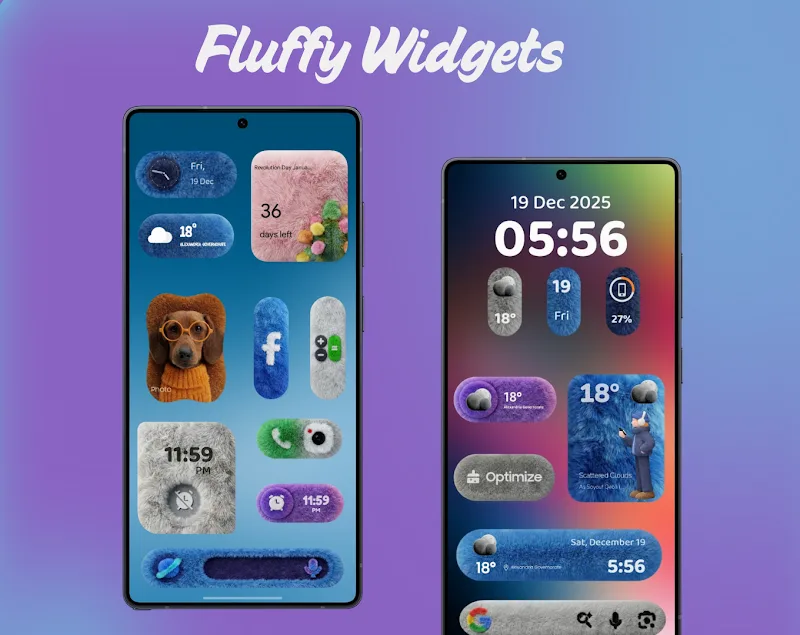
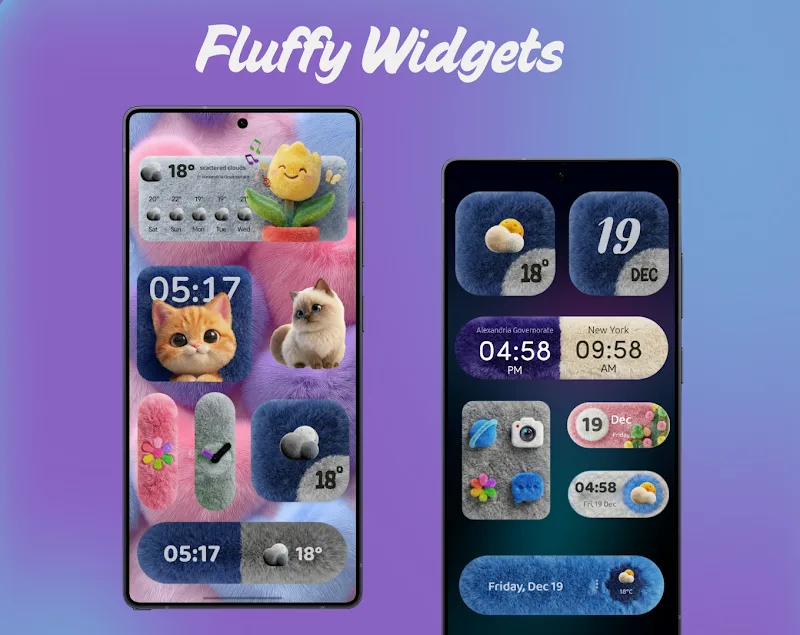
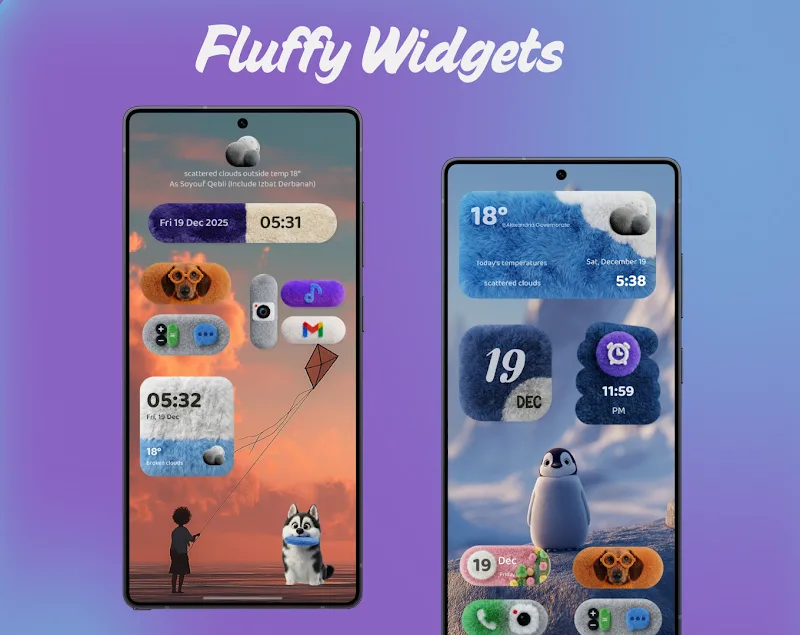
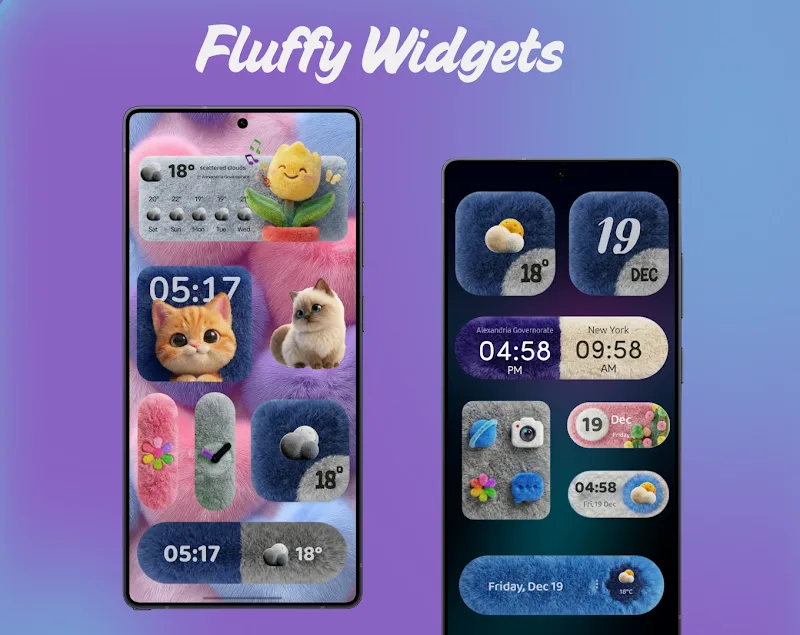
Fluffy Widgets turns your Android home screen into a polished, personalized dashboard of interactive widgets. Lightweight and easy to use, Fluffy Widgets provides a collection of resizable tools — clocks, weather, shortcuts, and system monitors — designed to blend aesthetic polish with fast performance and low battery impact.
What the App Offers
At its core, Fluffy Widgets delivers modular components that sit on the launcher and present timely information at a glance. Each widget focuses on clarity: analog or digital clocks, hourly and weekly weather summaries, quick-launch tiles for apps, music controls, battery and CPU indicators, and calendar snippets. Widgets support multiple sizes so you can prioritize space or detail depending on your home screen layout.
Design and Interface
The interface emphasizes clean visuals and quick customization. A compact setup flow walks you through selecting a widget type, adjusting size, and choosing a theme. Themes range from minimal monochrome to colorful, translucent panels that match wallpaper tones. Fluffy Widgets uses simple drag-and-drop placement through the launcher and gives immediate visual feedback when resizing or tweaking settings.
Customization Options
Personalization is a standout. Users can:
- Adjust materials: switch fonts, toggle shadows, and change corner radii for a bespoke look.
- Color control: apply solid or gradient backgrounds, pick accent colors for text and icons, or set adaptive palettes that sample your wallpaper.
- Functional tweaks: enable tap-to-open actions, long-press shortcuts, or double-tap gestures for specific widgets.
These options let you make a widget that’s purely informational or a compact control center for daily tasks.
Performance and Battery Considerations
Fluffy Widgets is engineered to be frugal with system resources. Background updates for weather and system stats use adaptive polling intervals and smart throttling so the app avoids waking the device excessively. Developers provide toggles to reduce update frequency during battery saver mode and limit animations to preserve CPU cycles on lower-end devices.
Compatibility and Device Support
The app supports a wide range of Android versions and adapts to different screen densities and aspect ratios. It works with popular third-party launchers and includes guidance for enabling permission settings necessary for displaying overlays or accessing calendar and location data. Where specific features rely on permissions — for example, live weather updates — the app explains the reason and offers discrete permission prompts.
Setup and Workflow
Getting started with Fluffy Widgets is straightforward. After installing, tap and hold the home screen, select Widgets, and choose the Fluffy Widgets collection. Pick the widget size, place it, and use the built-in editor to configure data sources, theme, and actions. The editor previews changes in real time so you can iterate quickly without additional steps.
Useful Integrations
Fluffy Widgets integrates with system services and common apps to expand functionality. Calendar widgets pull events from your default calendar app, weather modules use selectable providers, and shortcut tiles can launch specific app activities or even direct-call contacts. These integrations make it easy to build a single-page hub for planning, communication, and media control.
User Experience and Accessibility
Readability and accessibility are prioritized: font sizes can be increased independently of device settings, contrast modes are available for outdoor visibility, and touch targets are generous to reduce mis-taps. Haptic feedback and subtle animation cues help communicate state changes without overwhelming the interface.
Tips for Best Results
- Choose fewer active widgets to minimize background updates and preserve battery life.
- Use adaptive colors to maintain a cohesive look as you change wallpapers.
- Combine a small system monitor with a larger calendar or weather widget to keep essential information visible without clutter.
Fluffy Widgets aims to strike a balance between style and utility by offering flexible, efficient widgets that make your home screen more informative and easier to use. With compact controls, practical customization, and careful attention to performance, it’s a solid option for users who want a personalized, functional Android experience.
Show More
Information
Screenshots
Latest Update











Latest News
-
![Revealing the Launch Playlists and Cross-Progression for COD Warzone Mobile News]()
-
![March 2024 Free Redemption Codes for Honkai: Star Rail News]()
-
PUBG Mobile Teams Up with Bentley Motors: Luxury Cars, Exclusive Collectibles, and Beyond 2024-04-18
![PUBG Mobile Teams Up with Bentley Motors: Luxury Cars, Exclusive Collectibles, and Beyond News]()
-
![Monster Never Cry is now accessible on both Android and iOS mobile devices. News]()
-
V2.2 of the Farlight 84 update introduces an overhauled Season structure, fresh in-game currency, an 2024-04-16
![V2.2 of the Farlight 84 update introduces an overhauled Season structure, fresh in-game currency, an News]()
-
![Arrival of Genshin Impact 4.6 Update: 'Embers of Two Realms, Twilight of Crimson' News]()
-
April 2024 Clash of Clans Update: Unveiling a Fresh Companion, Enhanced Levels, Chat Tagging, and Be 2024-04-16
![April 2024 Clash of Clans Update: Unveiling a Fresh Companion, Enhanced Levels, Chat Tagging, and Be News]()






