

MyScript Notes for Students
Version:6.4.7
Published:2026-11-10
Introduction
MyScript Notes for Students is a handwriting-first note-taking app designed for students who prefer writing by hand on a tablet or phone. It blends ink-based input with digital organization, offering fast recognition, smooth pen handling and export options to streamline study notes and class materials.
Quick overview
MyScript Notes for Students targets learners who need an app that feels like pen and paper but adds the advantages of a digital workflow. The interface focuses on clarity: a large writing canvas, minimal distractions and tools that make annotating, editing and sharing class notes straightforward.
Primary tools and workflow
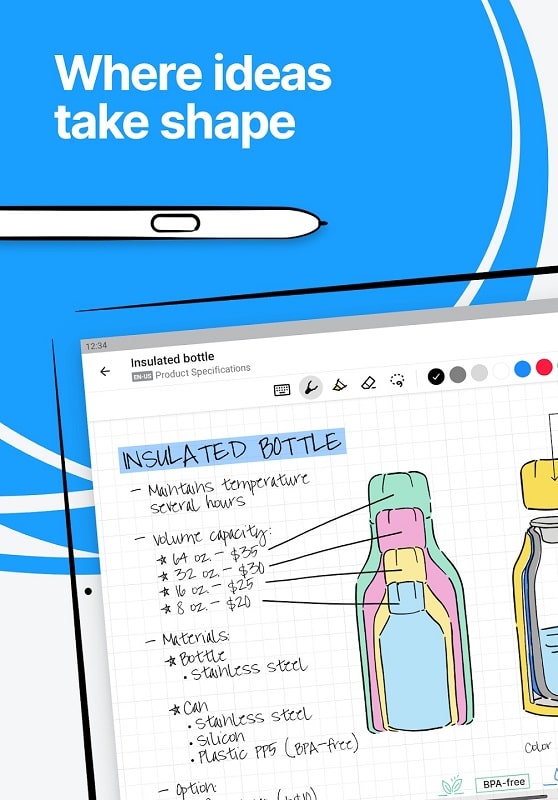
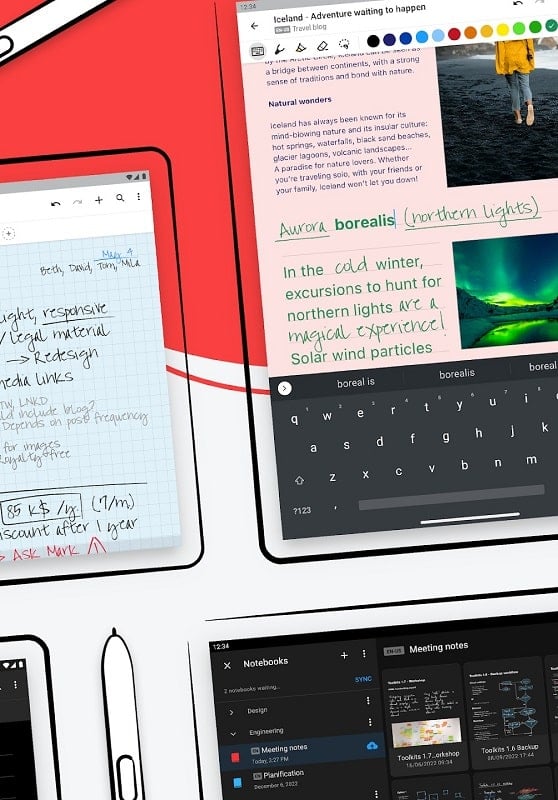
The app places handwriting at the center of its design. You write directly on the screen with a stylus or finger. MyScript converts written text to editable digital text while preserving layout. You can erase strokes, lasso-select regions to move or resize them, and combine typed and handwritten content in the same document. This hybrid approach preserves the natural writing experience while making notes searchable and reusable.
Key features explained
- Handwriting recognition: Accurate on-device conversion of handwriting to text, with quick corrections and suggestions.
- Smart editing: Lasso selection, stroke-level undo/redo and gesture-based actions speed up note refinement.
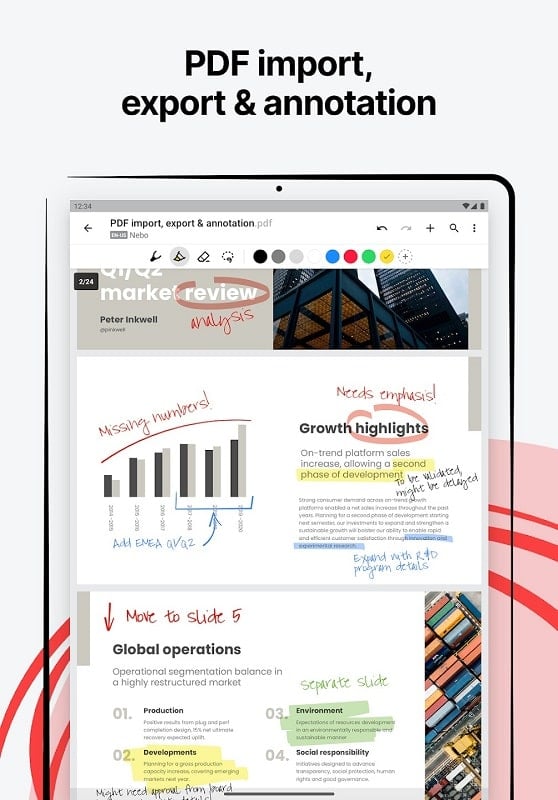
- PDF and image import: Annotate lecture slides, import diagrams and mark up readings without leaving the app.
- Export options: Save notes as PDF, PNG, or editable text files; share directly to email or cloud storage.
- Templates and layouts: Choose ruled, grid, Cornell or blank templates tailored to different study styles.
How recognition and search help study
One strength of MyScript Notes for Students is its ability to make handwriting searchable. Recognized words become part of the document index, so you can pull up specific concepts or dates across notebooks. That searchability turns long lecture archives into a usable study resource when preparing for exams or group projects.
Customization and personalization
Students can adjust pen thickness, ink color and pressure sensitivity to match their handwriting. Multiple page sizes and templates let you organize notes by subject or course. Custom tags and notebook grouping provide structure for semester-long planning. These small personalization options help the app fit into different study habits rather than forcing a single method.
Performance and interface details
The app maintains low latency to offer a natural writing feel even with detailed diagrams. Menus are compact and placed near the edge so your focus stays on the page. On lower-end devices performance may vary; reducing canvas texture and disabling live recognition can preserve responsiveness during intensive sessions.
Study tips and best practices
Use a consistent notebook per class to simplify review. Turn on recognition when finishing a lecture to index notes immediately, but disable it during rapid in-class recordings to avoid input lag. Export important pages as PDFs after annotations, and use cloud sync for access across devices before study sessions.
Collaboration and file sharing
While geared to individual learners, the app supports sharing via standard formats. Exported PDFs keep annotations intact for team study. Text exports let you paste content into slides or study guides. These options make it easy to combine personal notes with collaborative documents.
Getting started
Installing MyScript Notes for Students is straightforward: grant access to storage if you plan to import files, connect a stylus if you have one, and pick a template to start. The first-time tutorial covers basic gestures and the recognition toggle so you can pace discovery of advanced tools as you become more comfortable.
For students looking for a digital note system that preserves handwriting while adding powerful organization and export tools, MyScript Notes for Students provides a focused, responsive environment. Its balance of natural pen input and useful digital features helps turn class time into organized, searchable study material.
Show More
Information
Screenshots

Latest Update












Latest News
-
![Revealing the Launch Playlists and Cross-Progression for COD Warzone Mobile News]()
-
![March 2024 Free Redemption Codes for Honkai: Star Rail News]()
-
PUBG Mobile Teams Up with Bentley Motors: Luxury Cars, Exclusive Collectibles, and Beyond 2024-04-18
![PUBG Mobile Teams Up with Bentley Motors: Luxury Cars, Exclusive Collectibles, and Beyond News]()
-
![Monster Never Cry is now accessible on both Android and iOS mobile devices. News]()
-
V2.2 of the Farlight 84 update introduces an overhauled Season structure, fresh in-game currency, an 2024-04-16
![V2.2 of the Farlight 84 update introduces an overhauled Season structure, fresh in-game currency, an News]()
-
![Arrival of Genshin Impact 4.6 Update: 'Embers of Two Realms, Twilight of Crimson' News]()
-
April 2024 Clash of Clans Update: Unveiling a Fresh Companion, Enhanced Levels, Chat Tagging, and Be 2024-04-16
![April 2024 Clash of Clans Update: Unveiling a Fresh Companion, Enhanced Levels, Chat Tagging, and Be News]()






