
Calendar Widget
Version:7.5_20240726
Published:2026-11-10
Introduction
Calendar Widget transforms your Android home screen into a compact productivity hub, combining glanceable schedules, agenda previews, and quick event creation in a single, customizable tile. It places upcoming appointments front and center, integrates with multiple calendars, and streamlines day planning without opening a full calendar app.
What the app does
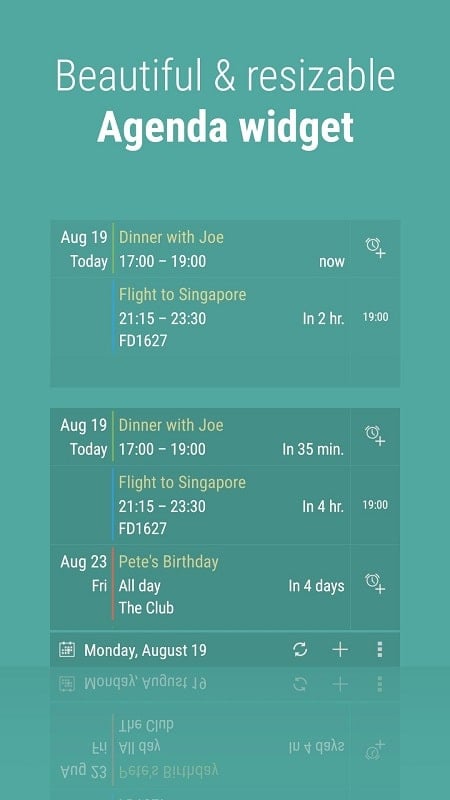
Calendar Widget is built to reduce friction between intention and action. Rather than swapping between apps, users get a persistent, attractive display of their upcoming events directly on the launcher. Widgets can show daily agendas, week overviews, or a simple month grid. Tap interactions let you jump straight into event details or open the native calendar for edits.
Key features at a glance
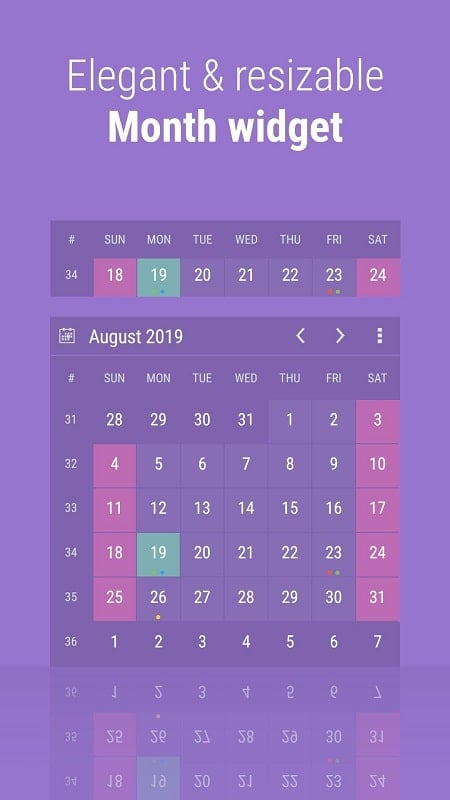
- Multiple widget styles: Choose from compact lists, full-month calendars, and hybrid views to match your home screen layout.
- Account support: Syncs with Google, Exchange, and local calendars so all events appear in one place.
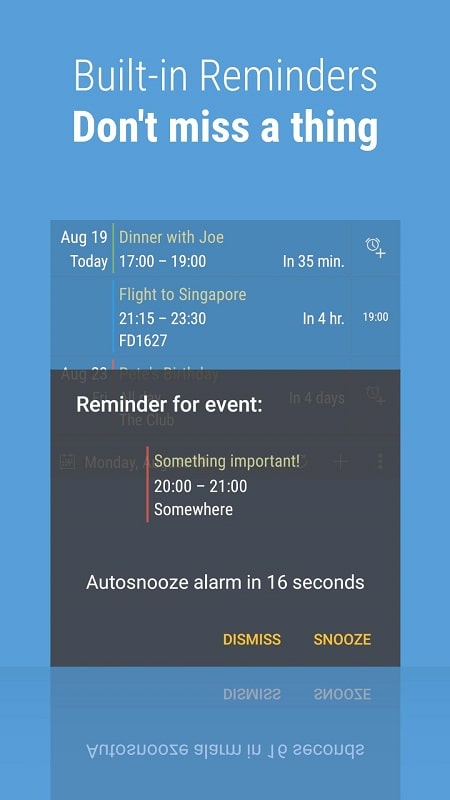
- Quick actions: Create events, snooze reminders, or switch calendar visibility without launching additional apps.
- Color coding and filters: Assign colors per calendar and filter by keyword, calendar, or event type for focused displays.
- Resizing and responsiveness: Widgets adapt to device orientation and different launcher sizes.
How it works
After installation, add a widget to your home screen and grant calendar access. The widget reads events from connected calendars and renders them according to the selected template. Settings allow you to control the time range shown, whether past events are collapsed, and how many items appear. The app caches event data to minimize battery use and requests updates on a schedule or when the underlying calendar changes.
Appearance and customization
Visual customization is a standout. You can change font sizes, background transparency, and highlight colors. For users who prefer minimalism, a slim, monochrome list provides only essential information. More visual users can enable photos, event icons, or weekend shading on the month grid. Preset themes make it easy to switch between work and personal layouts.
Performance and interface
The interface aims to be lightweight and responsive. Scrolling through a dense agenda is smooth on most modern devices. Memory footprint stays low by avoiding constant background polling. The design balances information density with readability, using bold times and condensed titles for long schedules. Loading times are generally short, and updates occur automatically when calendars sync.
Practical uses and workflow tips
- Morning review: Place a daily agenda widget on the lock or home screen to scan commitments before leaving home.
- Focus view: Create a widget filtered to only show tasks tagged "work" or "meetings" during office hours.
- Travel planning: Use a full-month view with itinerary events highlighted to get a long-range sense of availability.
- Event creation shortcut: Long-press the widget to access quick-add forms for faster scheduling.
Getting started and compatibility
Installation is standard through the Play Store. After placing the widget, allow calendar permissions and pick which accounts to display. There are options for syncing with multiple calendar providers and handling notifications. The widget supports Android launchers that allow resizing and should work on versions maintained over recent years; check version notes if you run a very old release.
Why this tool is worth trying
Calendar Widget reduces taps and context switches. For busy professionals, students, and organizers, having an always-on schedule reduces missed appointments and helps prioritize the day. The combination of flexible display options and low resource use makes it a practical addition to any productivity setup.
Whether you want a minimal timeline or a richly styled month calendar, Calendar Widget adapts to different workflows and aesthetics. It’s a useful tool for improving time awareness and simplifying the routine of managing events on Android devices.
Show More
Information
Screenshots
Latest Update










Hot Tags
Latest News
-
![Revealing the Launch Playlists and Cross-Progression for COD Warzone Mobile News]()
-
![March 2024 Free Redemption Codes for Honkai: Star Rail News]()
-
PUBG Mobile Teams Up with Bentley Motors: Luxury Cars, Exclusive Collectibles, and Beyond 2024-04-18
![PUBG Mobile Teams Up with Bentley Motors: Luxury Cars, Exclusive Collectibles, and Beyond News]()
-
![Monster Never Cry is now accessible on both Android and iOS mobile devices. News]()
-
V2.2 of the Farlight 84 update introduces an overhauled Season structure, fresh in-game currency, an 2024-04-16
![V2.2 of the Farlight 84 update introduces an overhauled Season structure, fresh in-game currency, an News]()
-
![Arrival of Genshin Impact 4.6 Update: 'Embers of Two Realms, Twilight of Crimson' News]()
-
April 2024 Clash of Clans Update: Unveiling a Fresh Companion, Enhanced Levels, Chat Tagging, and Be 2024-04-16
![April 2024 Clash of Clans Update: Unveiling a Fresh Companion, Enhanced Levels, Chat Tagging, and Be News]()






