

SkyVPN
Version:2.4.7
Published:2026-11-10
Introduction
SkyVPN delivers a simple and fast virtual private network service designed to secure mobile browsing and unlock geo-restricted content. With a one-tap connection and streamlined controls, SkyVPN aims to appeal to casual users who want reliable privacy and decent speeds without complex configuration.
Overview of the service
SkyVPN is a lightweight VPN client built for Android devices that balances ease of use with practical privacy features. It routes traffic through remote servers to mask your IP address, encrypts data on public Wi‑Fi, and provides access to region-locked websites and apps. The app targets users who need immediate protection and basic streaming access, rather than deep technical customization.
Core features at a glance
- One-tap connection — connect instantly to a selected server with minimal setup.
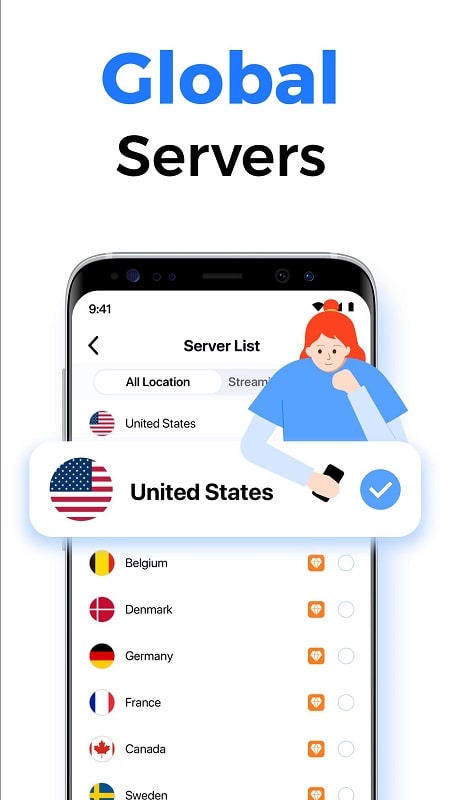
- Global server selection — choose from multiple countries to bypass geo-restrictions.
- Traffic encryption — protects data on unsecured networks like cafes or airports.
- Lightweight footprint — modest battery and memory usage for most modern phones.
- Ad-supported and premium tiers — free access with ads or upgraded plans for faster speeds and more locations.
How the app works
Under the hood, SkyVPN creates an encrypted tunnel between your device and its remote servers. Once connected, your device sends internet requests through that secure channel, hiding your real IP address and making it harder for websites and advertisers to track your location. The service automates server selection but also lets you manually pick regions for specific tasks like streaming or testing localized content.
User interface and performance
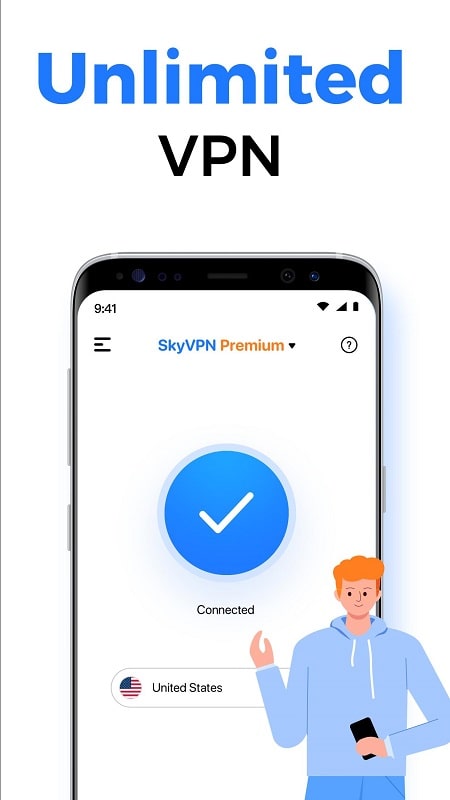
The interface emphasizes clarity: a central connect button, a simple server list, and basic account controls. Connection times are generally short, and the app displays connection status and data usage. On standard mobile networks, SkyVPN provides consistent enough throughput for browsing, social media, and standard-definition video. Heavy users should test speed during peak hours and consider the paid tier for higher priority access.
Privacy and security considerations
SkyVPN uses industry-standard encryption to secure traffic over public Wi‑Fi and mobile data. While the app hides your IP address, its privacy guarantees depend on logging policies and the jurisdiction of the service. For sensitive tasks such as banking or transmitting confidential files, verify the provider’s privacy policy and consider additional layers of security like two-factor authentication for critical accounts.
Practical tips for everyday use
- Switch regions for content — choose a server in the country where the content is available to reduce access errors.
- Use automatic reconnect — enable auto-reconnect to maintain protection when your network changes.
- Monitor data — keep an eye on data usage if you are on a metered mobile plan.
- Test speeds — run a quick speed check after connecting to ensure a server meets your needs before streaming.
Setup and getting started
Getting started with SkyVPN is straightforward. Install the app from the Android store, grant the necessary network permissions, and follow the on-screen setup. The free tier is useful to evaluate basic functionality; if you rely on the VPN daily, consider upgrading to remove ads, access more server locations, and improve connection priority.
Who should consider this app
SkyVPN fits users looking for an uncomplicated way to add privacy to their daily internet use and to access regionally restricted services. It is well suited to travelers who frequently use public Wi‑Fi and to casual streamers who need occasional access to international content. Power users who demand advanced configuration or strict no-log guarantees may want to compare offerings and policies before committing.
Final thoughts on usability
As a mobile utility, SkyVPN strikes a pragmatic balance between functionality and simplicity. The app’s minimal learning curve makes it easy to add a layer of privacy to routine browsing, while paid options scale performance for heavier needs. For most users seeking straightforward VPN protection, it is a convenient tool worth trying.
Show More
Information
Screenshots

Latest Update












Hot Tags
Latest News
-
![Revealing the Launch Playlists and Cross-Progression for COD Warzone Mobile News]()
-
![March 2024 Free Redemption Codes for Honkai: Star Rail News]()
-
PUBG Mobile Teams Up with Bentley Motors: Luxury Cars, Exclusive Collectibles, and Beyond 2024-04-18
![PUBG Mobile Teams Up with Bentley Motors: Luxury Cars, Exclusive Collectibles, and Beyond News]()
-
![Monster Never Cry is now accessible on both Android and iOS mobile devices. News]()
-
V2.2 of the Farlight 84 update introduces an overhauled Season structure, fresh in-game currency, an 2024-04-16
![V2.2 of the Farlight 84 update introduces an overhauled Season structure, fresh in-game currency, an News]()
-
![Arrival of Genshin Impact 4.6 Update: 'Embers of Two Realms, Twilight of Crimson' News]()
-
April 2024 Clash of Clans Update: Unveiling a Fresh Companion, Enhanced Levels, Chat Tagging, and Be 2024-04-16
![April 2024 Clash of Clans Update: Unveiling a Fresh Companion, Enhanced Levels, Chat Tagging, and Be News]()






