

Room Planner
Version:1209
Published:2026-11-10
Introduction
Room Planner is an intuitive interior design tool that helps you visualise and organise rooms with ease while staying approachable for hobbyists and people tackling a renovation for the first time. This app provides themed layouts, a broad furniture catalogue, and simple editing tools that let you try different arrangements and finishes quickly. Room Planner focuses on fast iteration: load a template, swap furniture, test colour palettes and materials, and save multiple variants of the same room to compare options. Many people use Room Planner to explore design ideas before buying furniture or talking with a contractor because it communicates spatial intent without complex software learning curves.
Key Features
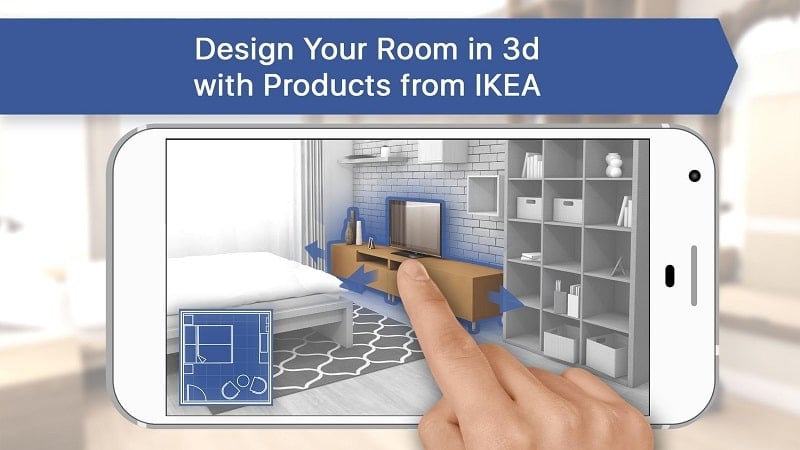
Themed room templates accelerate the design process by offering ready-made starting points for kitchens, living rooms and bedrooms with sensible layouts and typical dimensions. A large catalogue of furniture and decor items covers common pieces and stylistic variations so you can mix and match to form realistic scenes. Colour palette and material tools let you change wall paint, floor finishes and upholstery at the touch of a control, helping you evaluate contrast and harmony across a room. The drag-and-drop interface supports snapping to a grid and rotation handles for precise placement. An idea gallery collects sample designs that you can open, modify and use as inspiration.
Controls and Editing Mechanics
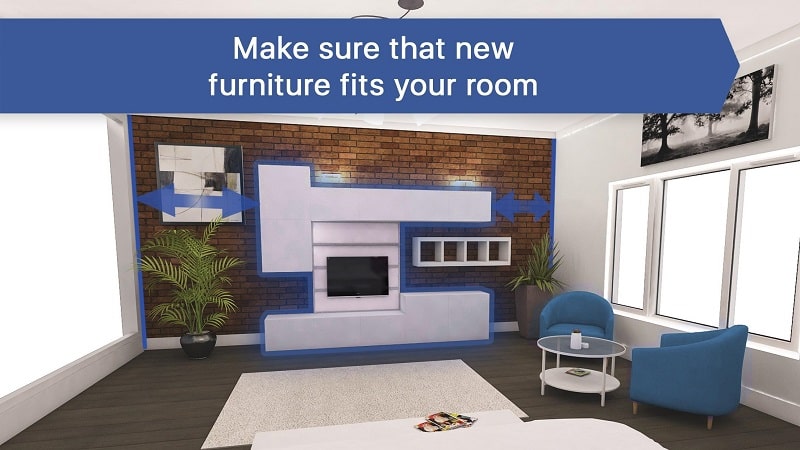
Editing in Room Planner is direct and tactile: tap to select an item, drag to move, pinch or rotate for scale and orientation, and use on-screen handles for fine tuning. A measurement overlay and snap-to-grid option help maintain realistic spacing and proportion. Undo and redo controls allow safe exploration without losing earlier versions. Items display quick-edit panels for size, colour and material so most adjustments happen without deep menus. The app is optimized for touch on phones and tablets and works well with a stylus for precise placement.
Progression and Project Management
Instead of traditional levels, Room Planner progresses through project complexity: begin with a single-room template and advance to multi-room arrangements as you save more projects and try more design elements. The app encourages an iterative workflow where each saved project acts as a milestone you can return to later. Projects are stored locally so you can maintain private reference files and build a library of completed designs. Built-in versioning and descriptive names make it easy to track different approaches for the same space, which supports stepwise improvement in your design skills.
Visual Style, Layout Structure and Customization
Room Planner uses a clean, realistic visual approach to help you judge colour and scale. Objects are rendered with simple shadows and material previews so changes feel immediate and clear. Layout structure is flexible: work on single rooms or combine rooms to see circulation patterns and sightlines between spaces. Customization covers object dimensions, textures and finishes, and you can save custom palettes for a consistent look across projects. The catalog contains multiple style variants for common furniture types, enabling cohesive schemes from modern minimal to warm traditional.
Replay Value, Challenges and User Experience
Replay value comes from iterating on projects, trying seasonal themes, or recreating real-world spaces as practice. The app supports self-imposed challenges such as designing a functional layout under a fixed area, limiting a palette to three colours, or adapting a floorplan for accessibility needs. These exercises become informal challenges that build spatial reasoning and design confidence. The user experience emphasizes clarity, with contextual help, tips embedded in the interface and an idea gallery that offers curated starting points rather than overwhelming options.
Accessibility, Offline Use and Limitations
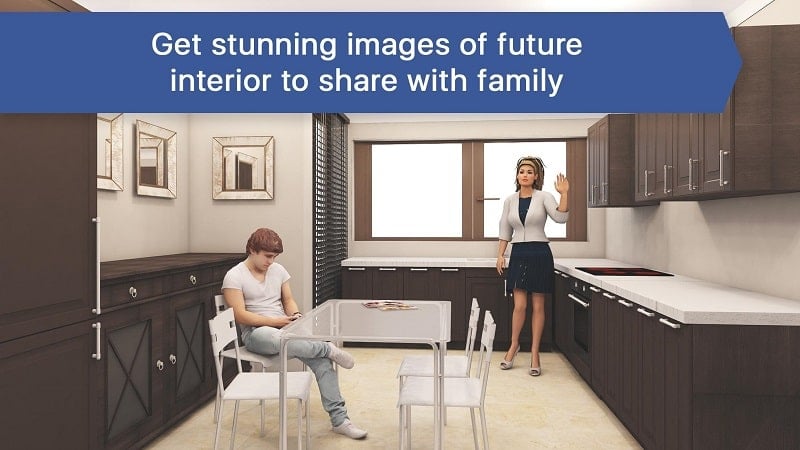
Room Planner is designed to be usable offline so you can edit saved projects without an internet connection and export snapshots locally. Accessibility options include adjustable text sizes and high-contrast modes to improve readability. Touch targets are sized to accommodate different dexterity levels. Limitations to keep in mind are that the app visualises layouts for planning and concept testing but does not replace professional measurements, on-site verification or contractor services. Achieving photorealistic renders and final construction detail may require additional tools or professional consultation.
Room Planner is intended as a practical tool that helps homeowners, renovators and aspiring interior designers explore ideas quickly. Whether you are rearranging a living room, planning a kitchen workflow, or refining a bedroom colour scheme, this app aims to make experimentation easy, recoverable and productive so you can move from concept to confident decisions.
Show More
Information
Screenshots
Latest Update












Hot Tags
Latest News
-
![Revealing the Launch Playlists and Cross-Progression for COD Warzone Mobile News]()
-
![March 2024 Free Redemption Codes for Honkai: Star Rail News]()
-
PUBG Mobile Teams Up with Bentley Motors: Luxury Cars, Exclusive Collectibles, and Beyond 2024-04-18
![PUBG Mobile Teams Up with Bentley Motors: Luxury Cars, Exclusive Collectibles, and Beyond News]()
-
![Monster Never Cry is now accessible on both Android and iOS mobile devices. News]()
-
V2.2 of the Farlight 84 update introduces an overhauled Season structure, fresh in-game currency, an 2024-04-16
![V2.2 of the Farlight 84 update introduces an overhauled Season structure, fresh in-game currency, an News]()
-
![Arrival of Genshin Impact 4.6 Update: 'Embers of Two Realms, Twilight of Crimson' News]()
-
April 2024 Clash of Clans Update: Unveiling a Fresh Companion, Enhanced Levels, Chat Tagging, and Be 2024-04-16
![April 2024 Clash of Clans Update: Unveiling a Fresh Companion, Enhanced Levels, Chat Tagging, and Be News]()






